16
▀
Registering Custom Paper Types
You can register the paper size and type for each paper source.
1
Press .
2
Press [Preferences] [Paper Settings] [Paper Settings].
3
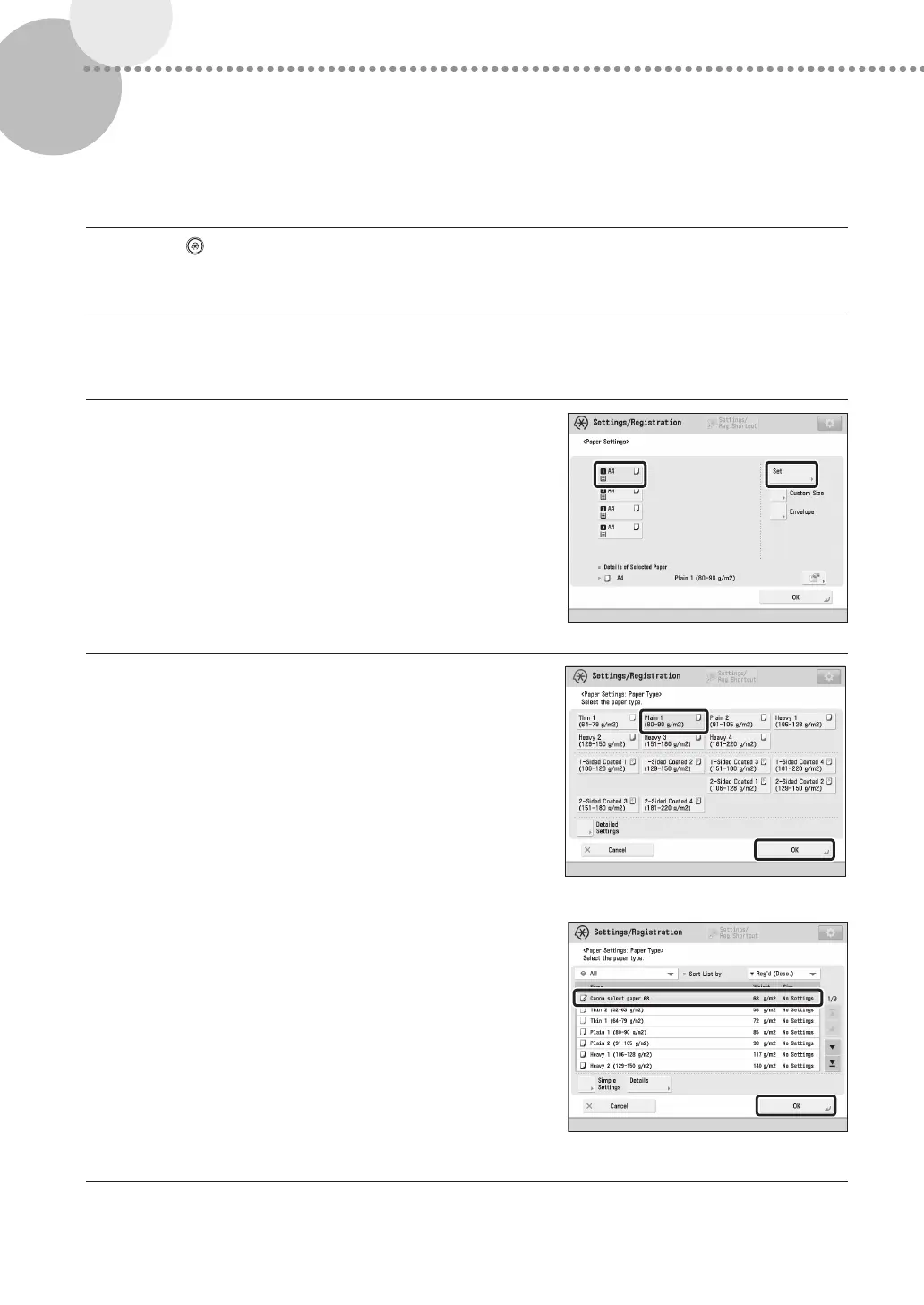
Select the paper source in which you loaded paper
press [Set].
•
If you load paper other than standard paper, select [Custom
Size] or [Envelope].
4
Select the loaded paper type from the list press
[OK].
•
You can select the paper type from the simple or detailed
setting screen. For paper types that are not displayed on the
simple setting screen, press [Detailed Settings] select the
paper type from the detailed setting screen.
Simple Settings Screen
Detailed Settings Screen











 To Next Page