27
Troubleshooting
▀
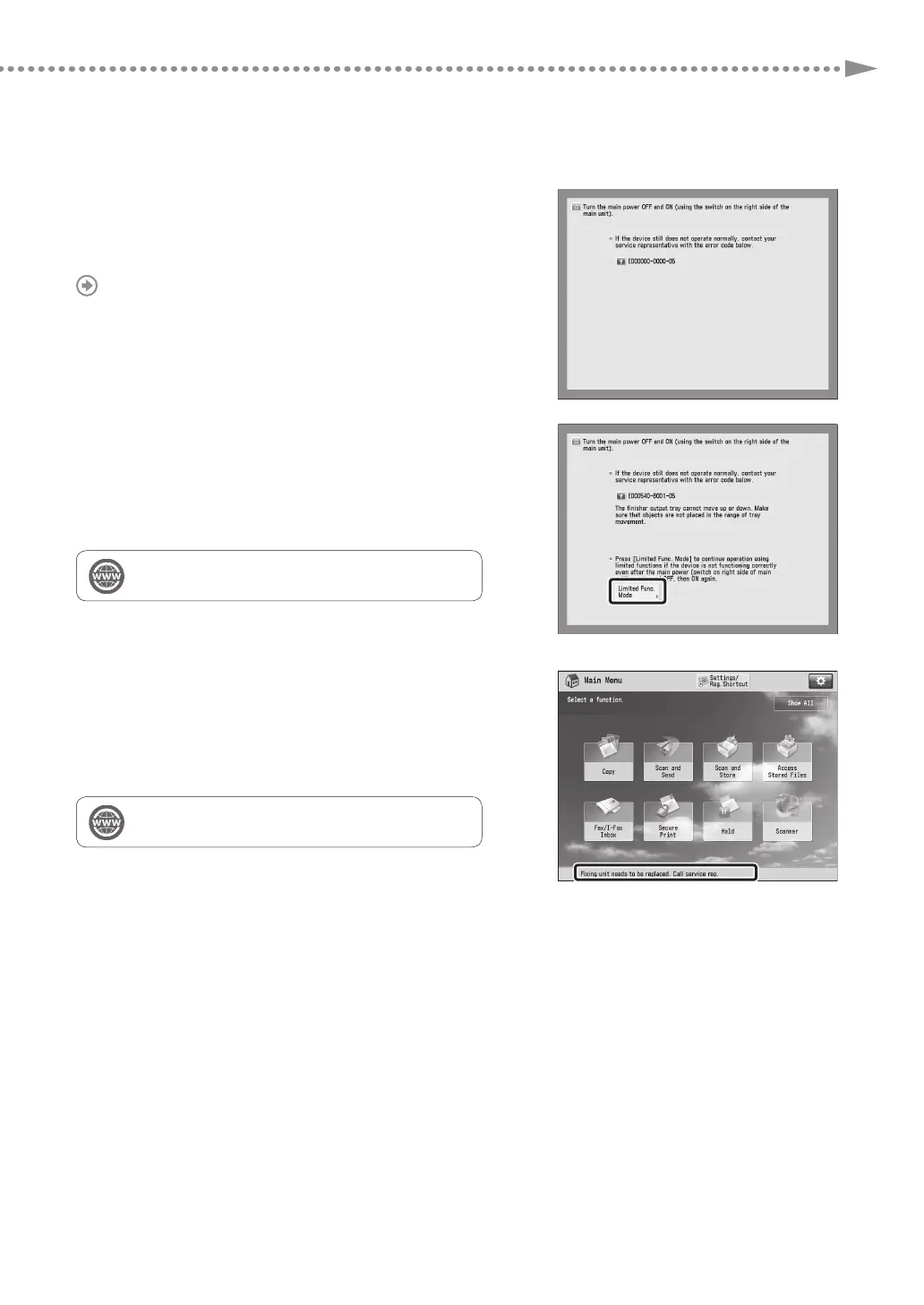
When an Error Message Is Displayed
If a malfunction occurs and the machine cannot operate
normally, a screen shown on the right appears. If the machine
cannot operate normally after turning the main power OFF
and then ON, contact your local authorized Canon dealer.
"Contacting Your Local Authorized Canon Dealer," on p. 28
If a key for the Limited Functions mode is
displayed:
If [Limited Functions Mode] is displayed, you can temporally
set the Limited Functions mode to continue to use some
functions.
"Problem Solving" > "Service Call Message" in the User's
Guide
If a message is displayed on the bottom of the
screen:
If an error message appears on the bottom of the screen,
printing and scanning functions are restricted, but some
functions may still be available.
"Problem Solving" > "Service Call Message" in the User's
Guide











 To Next Page