23
Cleaning and Maintenance
▀
Inspection of the Breaker
This machine has a breaker that detects excess current or leakage current. Make sure to test the breaker once a month
by following the procedure below.
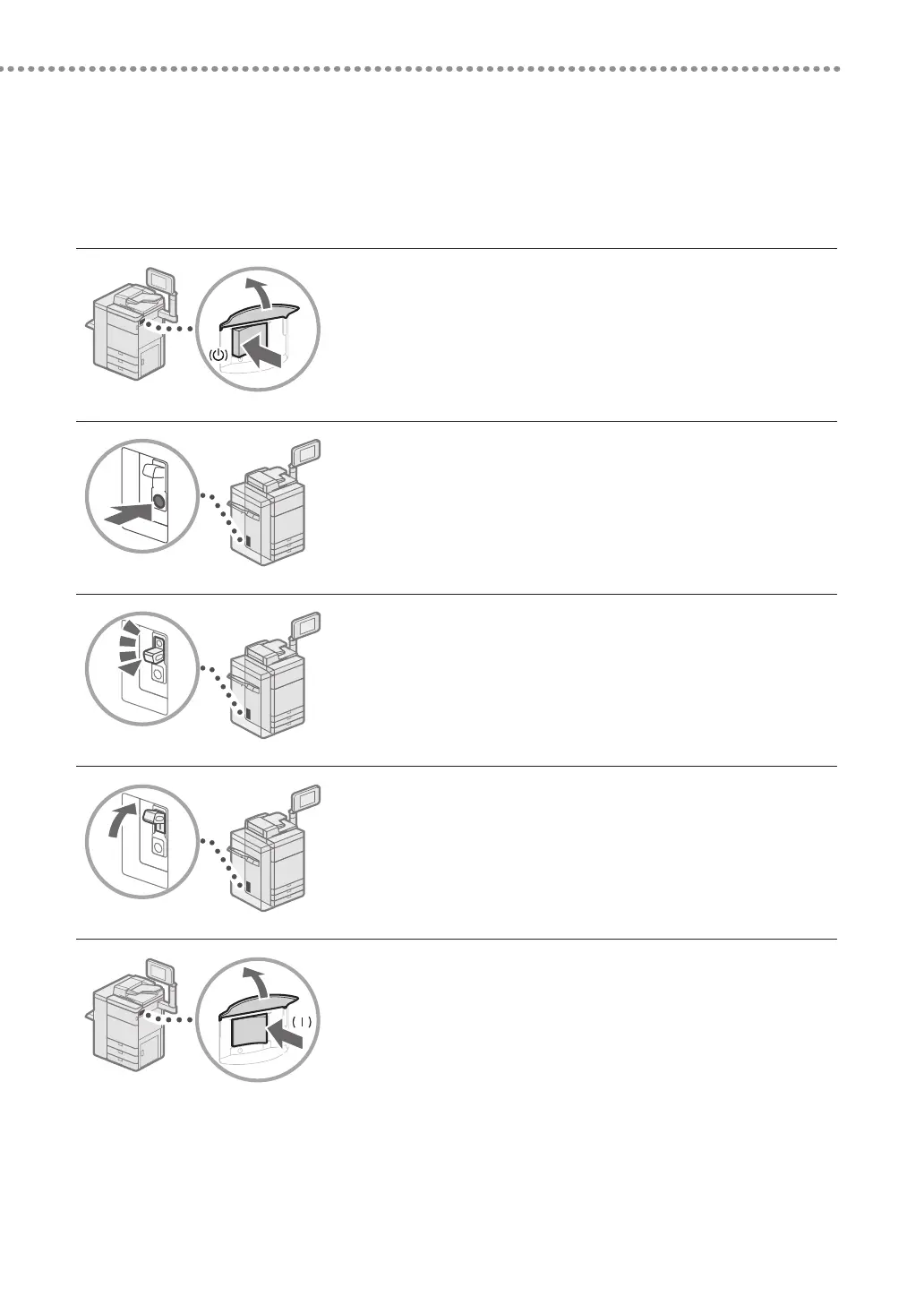
1
Turn OFF the main power.
•
Make sure that the main power is turned OFF, before inspecting
the breaker.
2
Push the test button located on the rear of the machine.
•
Push the test button with the tip of a ball-point pen or a similar
object. Briefly push the test button.
3
Confirm that the breaker lever is switched to the OFF
position.
•
If the breaker lever is not switched to the OFF position, repeat
step 2. If the breaker lever is not switched to the OFF position,
despite carrying out the above procedure two or three times,
contact your local authorized Canon dealer.
4
Switch the breaker lever to ON.
5
Turn ON the main power.











 To Next Page