20
5
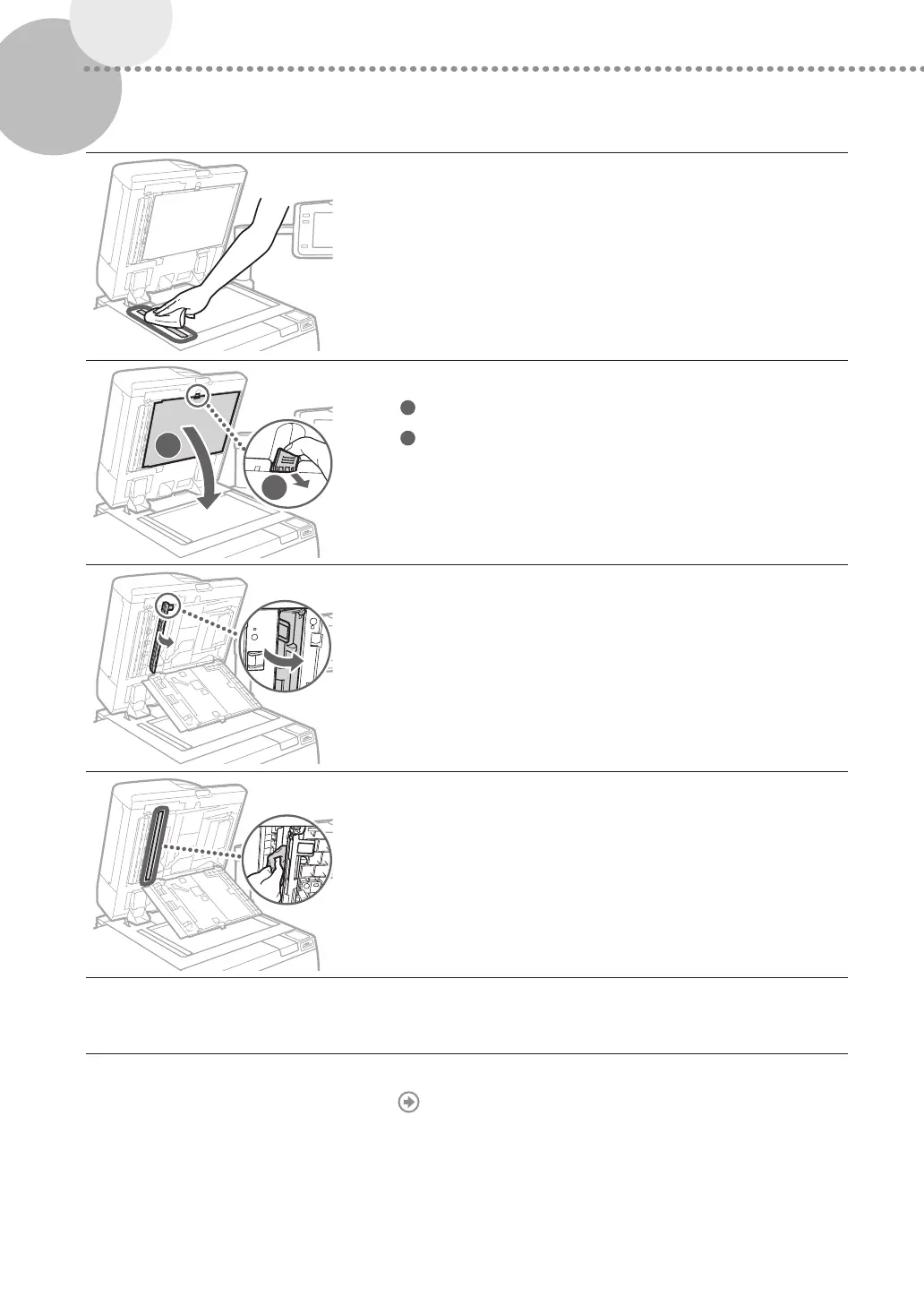
Clean the original scanning area.
•
Open the feeder and clean the original scanning area (thin glass
strip).
2
1
6
Open the document scan cover.
1
Pull the lever above the feeder.
2
Open the document scan cover.
7
Open the inside cover.
8
Clean the original scanning area of the feeder.
9
Close the inside cover and document scan cover in order,
and then close the feeder.
10
Turning on the main power.
"Turning ON the Main Power," on p. 11
Wipe the thin
glass strip area.











 To Next Page