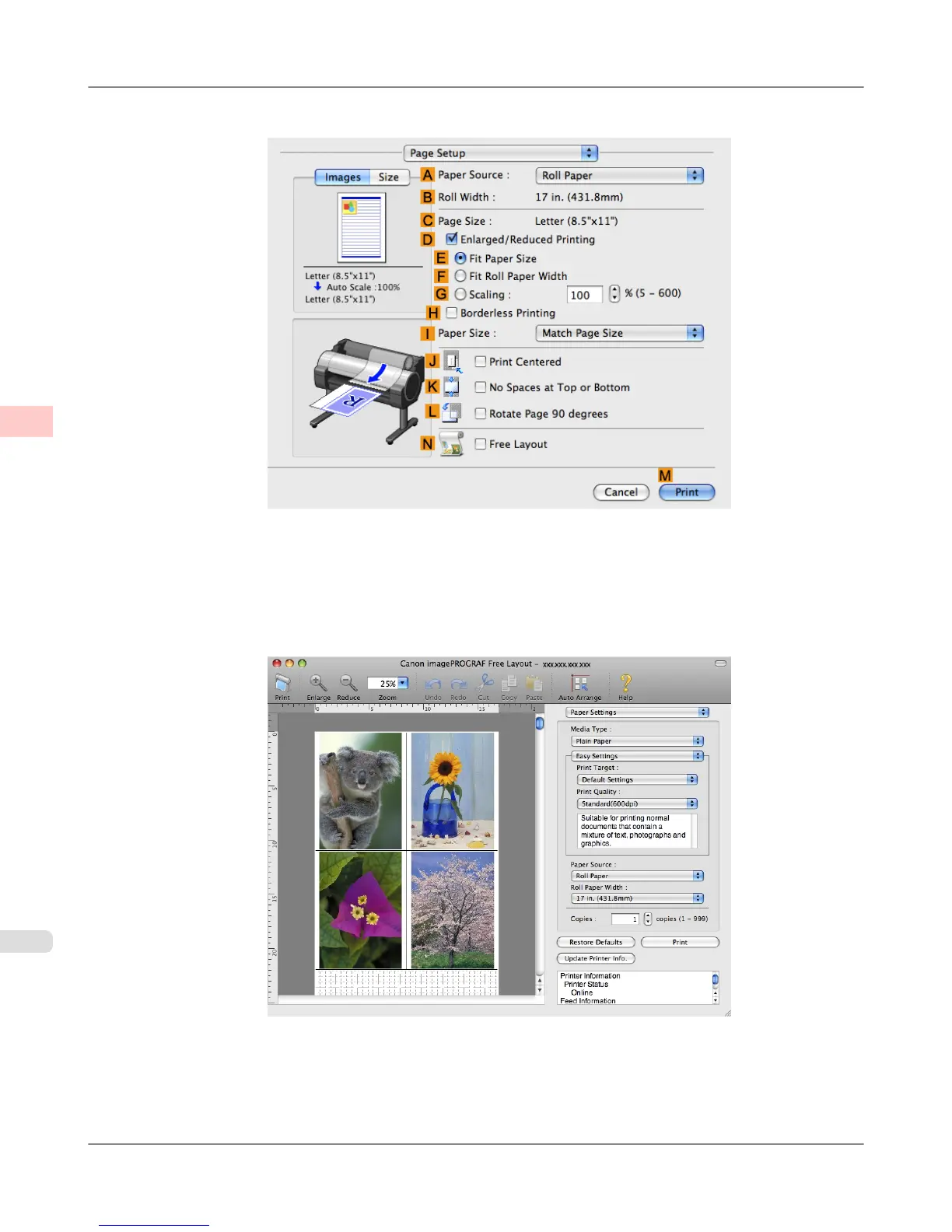
2. Access the Page Setup pane.
3. Select the NFree Layout check box.
4. Click MPrint.
5. The Canon imagePROGRAF Free Layout window is displayed.
Enhanced Printing Options
>
Tiling and multiple pages per sheet
>
Printing Multiple Originals Next to Each Other (Mac OS X) iPF755
3
136


 To Next Page
 Loading...










