*2: In Sleep mode, any button can be pressed except the Power button to recover from Sleep mode. Sleep mode is also
terminated if a print job is received or a command is issued from RemoteUI.
• Error display
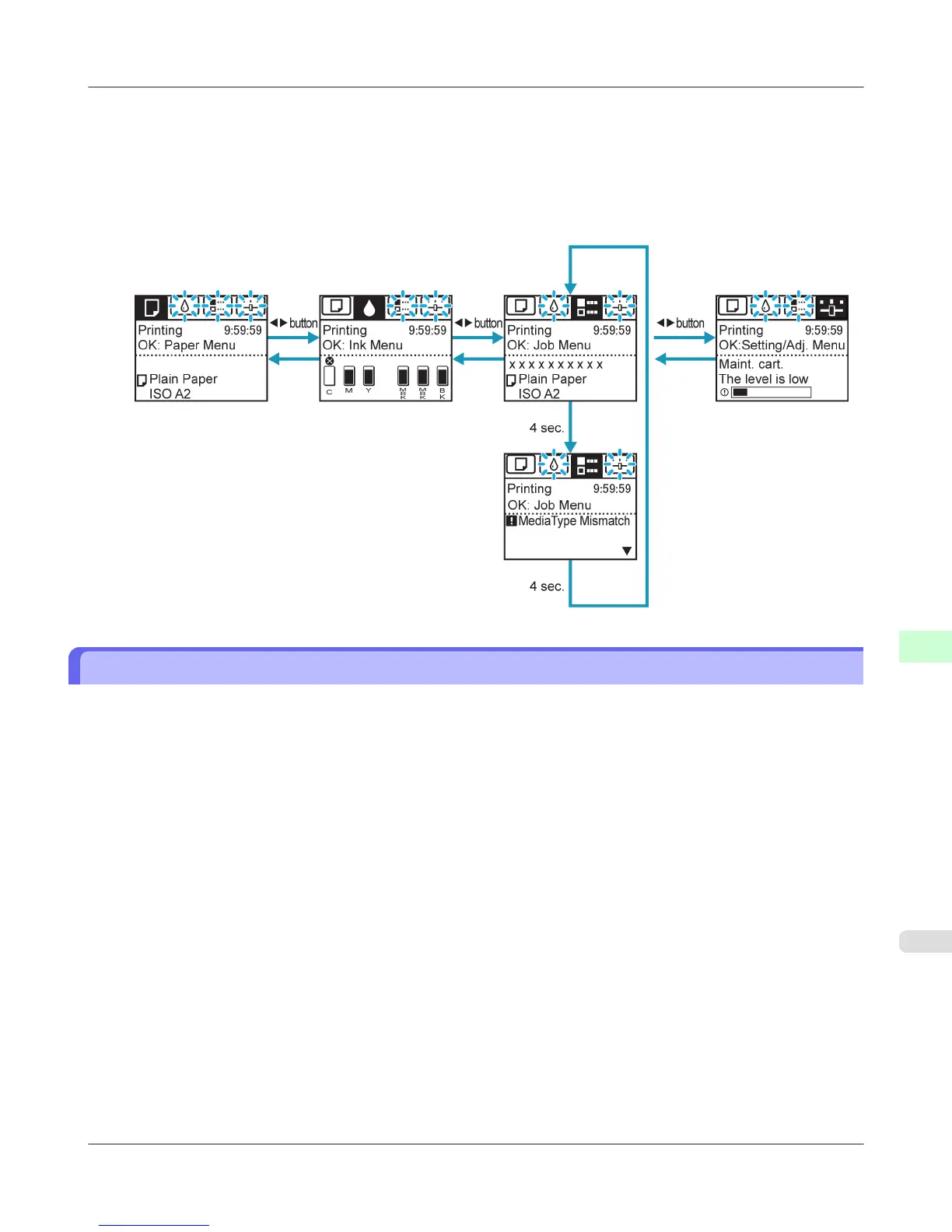
Mode transition during error display is as follows.
If multiple errors occur, tabs related to errors other than the error currently shown flash. Press the ◀ or ▶ button to
access other tabs and check those errors. If multiple errors occur that are related to the Job tab and Settings/Adj. tab,
each error message is displayed for 4 seconds on each tab before another message is shown.
How to View Instructions With Navigate
You can refer to instructions for loading paper, replacing ink tanks, and performing other operations on the printer control
panel.
1. Press the Navigate button.
2. Press ▲ or ▼ to select the desired navigation menu.
3. Press ▲ or ▼ to select View Op. Guide, and then press the OK button.
Instructions are now displayed.
Printer Parts
>
Control Panel
>
iPF755 How to View Instructions With Navigate
9
699


 To Next Page
 Loading...











