Making Prints Using the Stack Bypass
2-19
Basic Operations
2
IMPORTANT
•
Do not print on the back side of the envelopes (the side with the flap).
•
If the envelopes become filled with air, flatten them by hand before loading
them into the stack bypass.
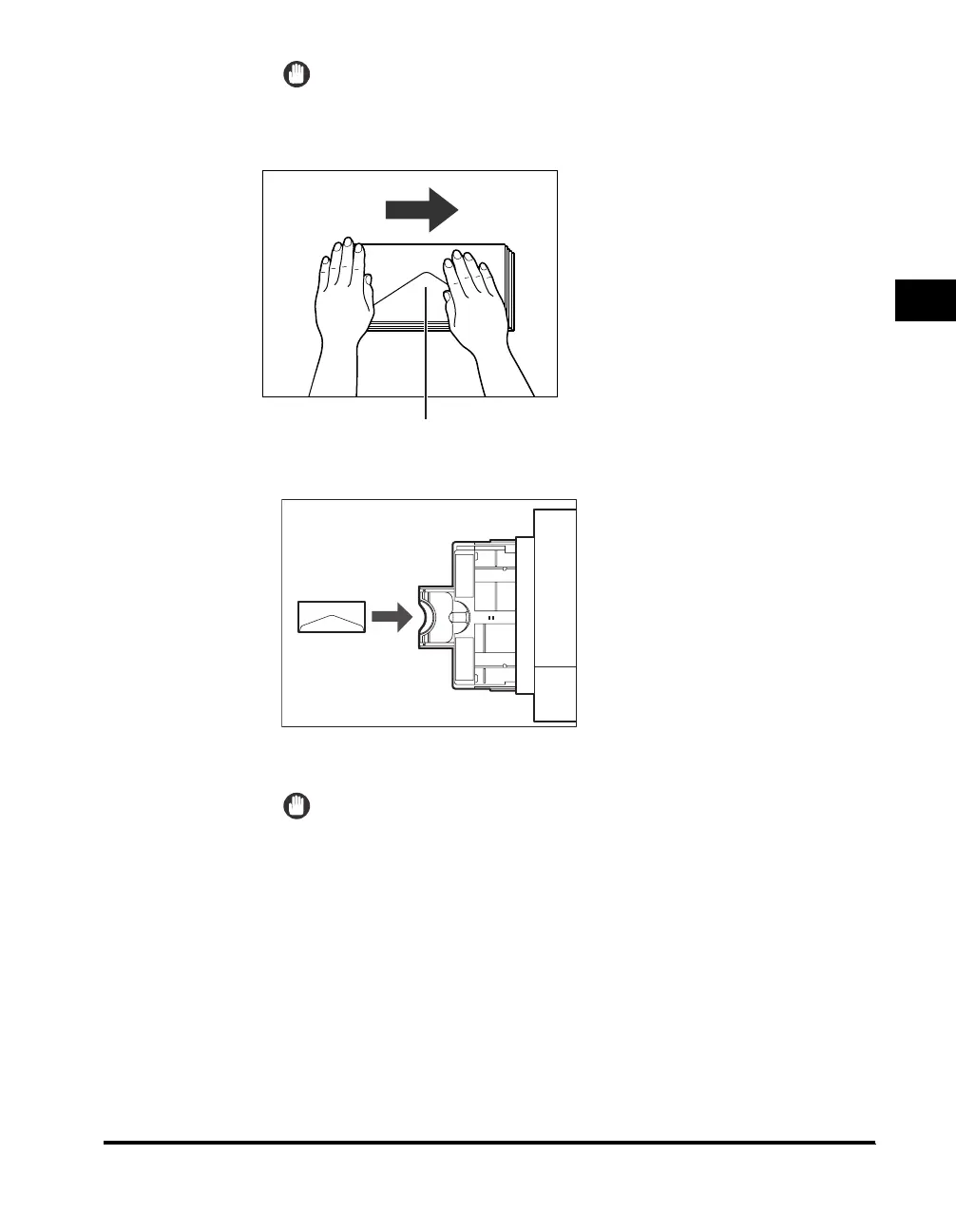
❑ Load the envelopes, as shown below.
IMPORTANT
•
The stack bypass can hold ten envelopes at a time.
•
Envelopes may be creased in the printing process.
Flap
Feeding Direction
When Printing on the Front
Side of the Envelopes



 To Next Page