Making Prints Using the Stack Bypass
2-20
Basic Operations
2
4
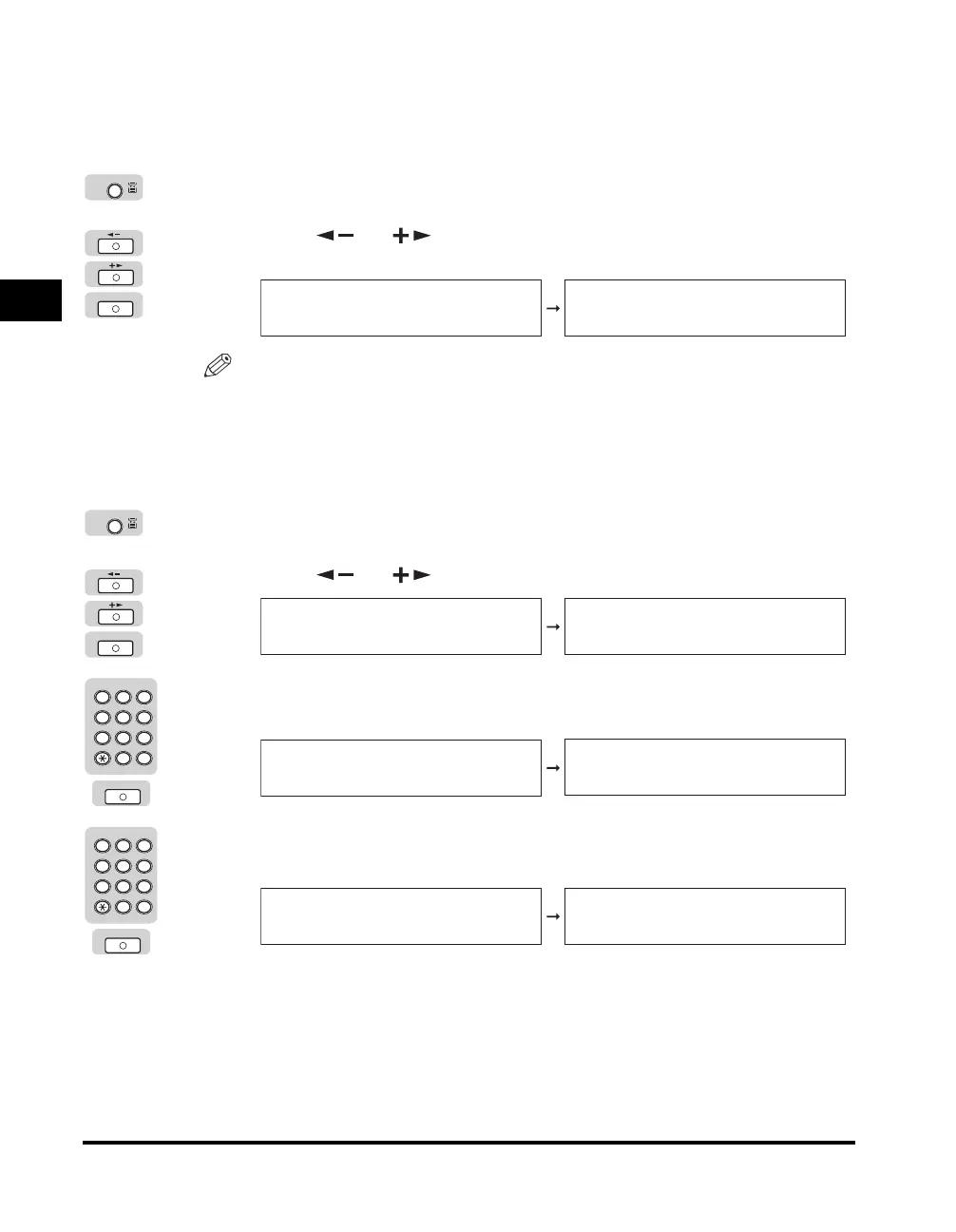
Select the desired paper size.
● If you want to select a standard paper size or an envelope type:
❑
Press [Paper Select] repeatedly until the stack bypass indicator lights.
❑ Press [ ] or [ ] until the desired paper size or envelope type appears
➞ press [OK].
NOTE
If you select COM10, MONARCH, DL, ISO-C5, or ISO-B5 for the envelope type,
<ENVELOPE> is automatically selected, and the screen for selecting the paper
type will not appear.
● If you want to select a nonstandard paper size:
❑
Press [Paper Select] repeatedly until the stack bypass indicator lights.
❑ Press [ ] or [ ] until <FREESIZE> appears ➞ press [OK].
❑ Enter the vertical size of the paper using the numeric keys ➞ press [OK].
The vertical size can be set from 3 3/4" to 11 3/4" (95 mm to 297 mm).
❑ Enter the horizontal size of the paper using the numeric keys ➞ press [OK].
The horizontal size can be set from 5 7/8" to 17" (148 mm to 432 mm).
Paper Select
OK
SELECT PAPER SIZE
LTR
SELECT PAPER TYPE
PLAIN PAPER
Paper Select
OK
SELECT PAPER SIZE
FREESIZE
VERTICAL SIZE
95 MM
2 3
ABC DEF
JKLGHI MNO
TUVPQRS WXYZ
Tone
4
5
5
6
7
8 9
0
1
#
SYMBOLS
OK
VERTICAL SIZE
95 MM
HORIZONTAL SIZE
148 MM
2 3
ABC DEF
JKLGHI MNO
TUVPQRS WXYZ
Tone
4
5
5
6
7
8 9
0
1
#
SYMBOLS
OK
HORIZONTAL SIZE
148 MM
SELECT PAPER TYPE
PLAIN PAPER



 To Next Page