Chapter 1
18
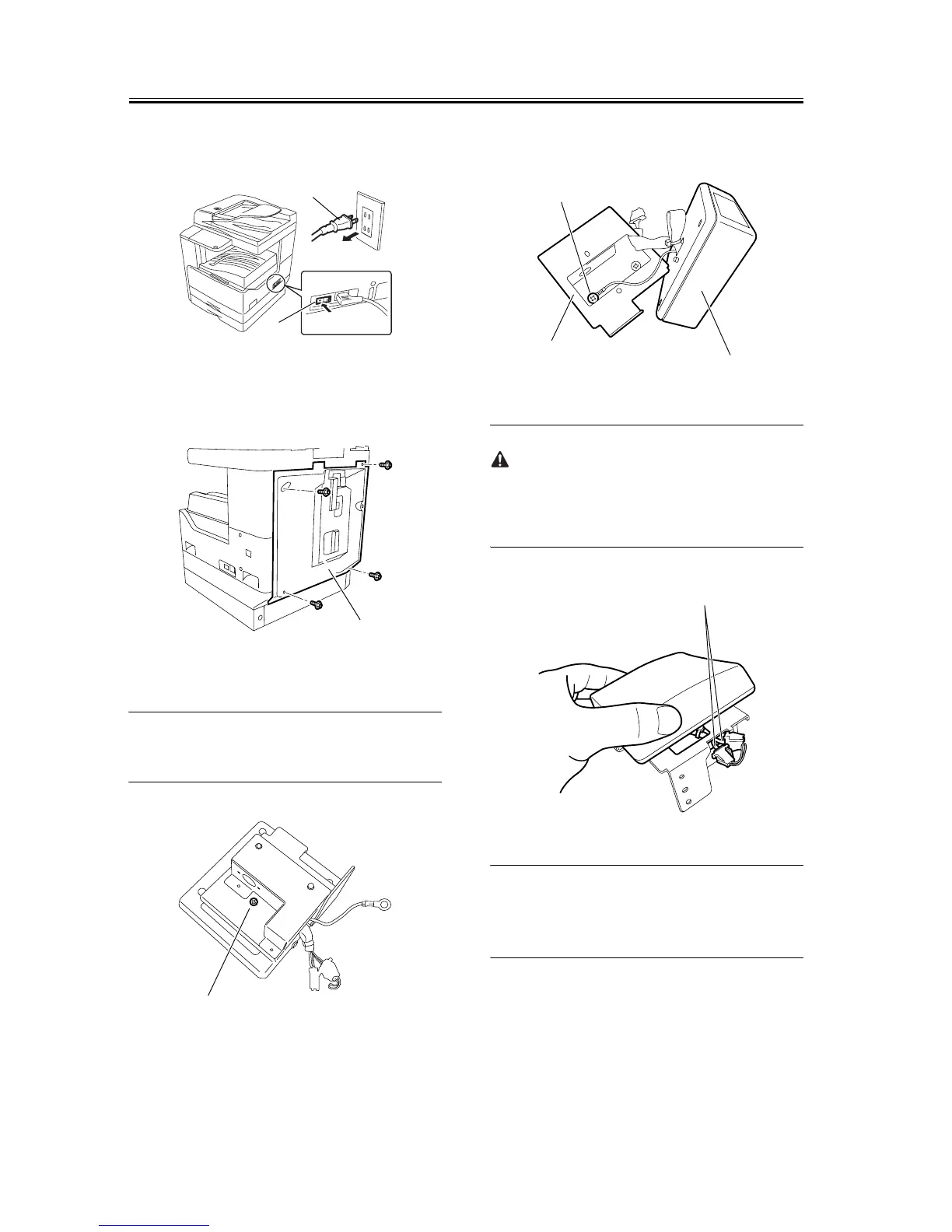
chine and disconnect the power plug [2] from the
outlet.
F-1-34
2) Remove the four screws, and then detach the rear
cover [1].
F-1-35
3) Remove the screw [1] from the card reader.
MEMO:
The removed screw will be used later.
F-1-36
4) Remove the screw [1] securing the ground cable,
and then separate the card reader [3] from the card
reader mount [2].
F-1-37
When removing the harness [1] through the opening
in the card reader mount, take care not to cut or dam-
age it.
F-1-38
MEMO:
The removed card reader mount is no longer neces-
sary.
5) Insert the card reader [2] harness and ground cable
into the hole in the supplied card reader mount [1].
Using the screw [3] removed in step 1, secure the
card reader to the card reader mount.
[1]
[2]
[1]
[1]
[2]
[1]
[3]
[1]










 To Next Page