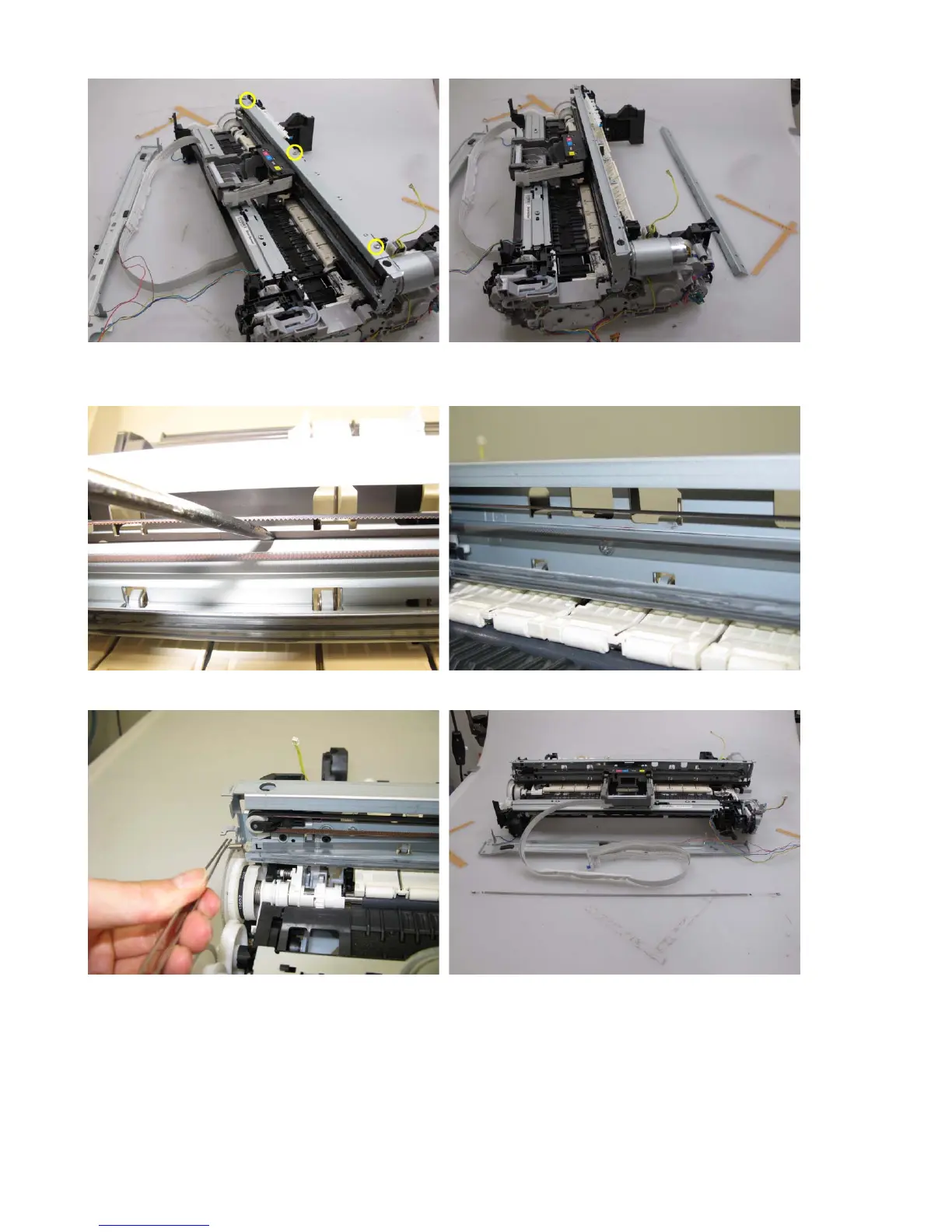
4) Remove the carriage upper rail (3 screws).
5) On the main chassis, mark the positions of the screws that fix the carriage rail to the main chassis
(3 points for each screw: the left, right, and center).
6) Remove the timing slit film. Be cautious to keep it free from any grease or damage.


 To Next Page
 Loading...