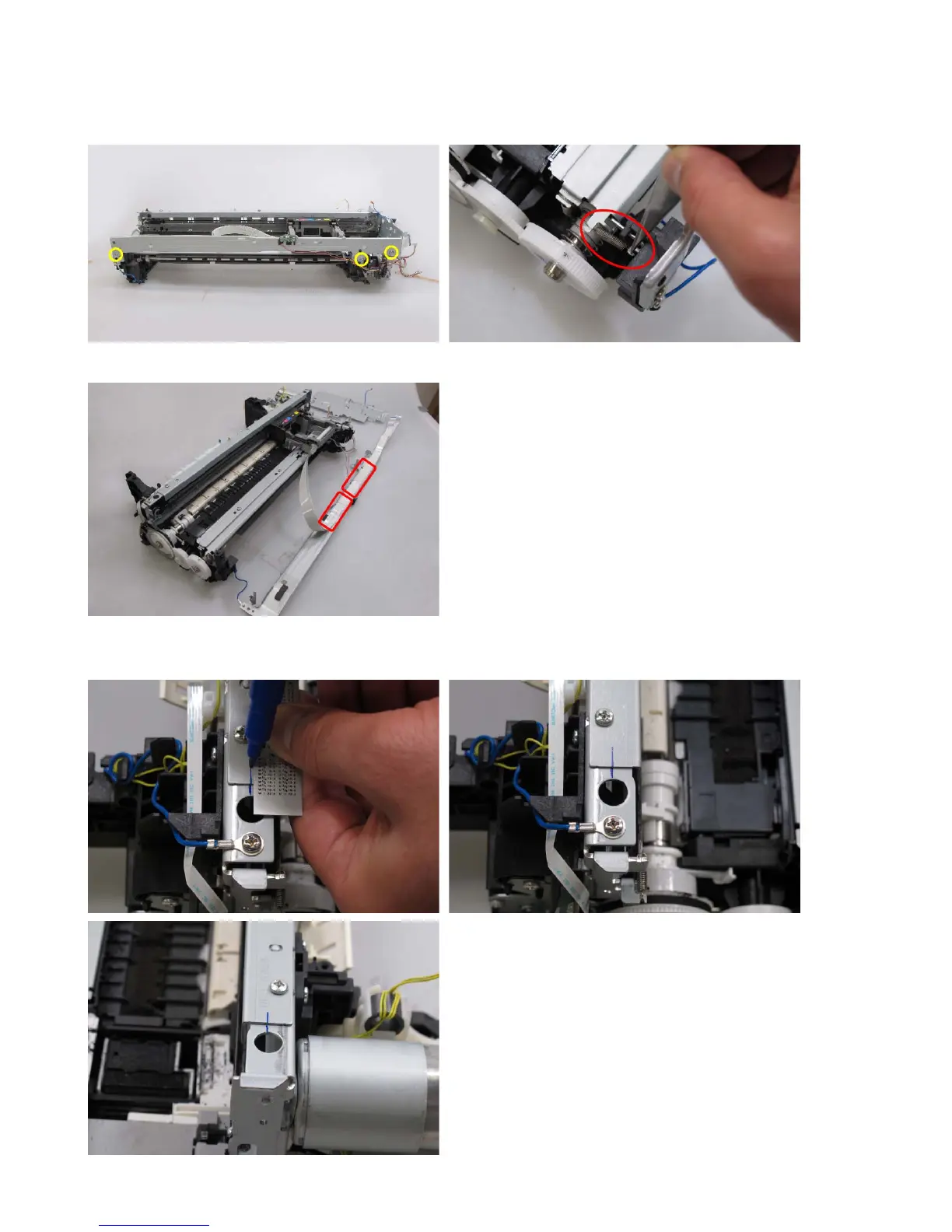
(6) Carriage unit removal
1) Remove the front chassis. (From the left side, release the spring and remove 3 screws, then pull
the chassis frontward).
2) Remove the carriage cable cover and holder from the front chassis.
3) On the main chassis, mark the position of the carriage upper rail (the positions of the left and
right edges of the rail).




 To Next Page