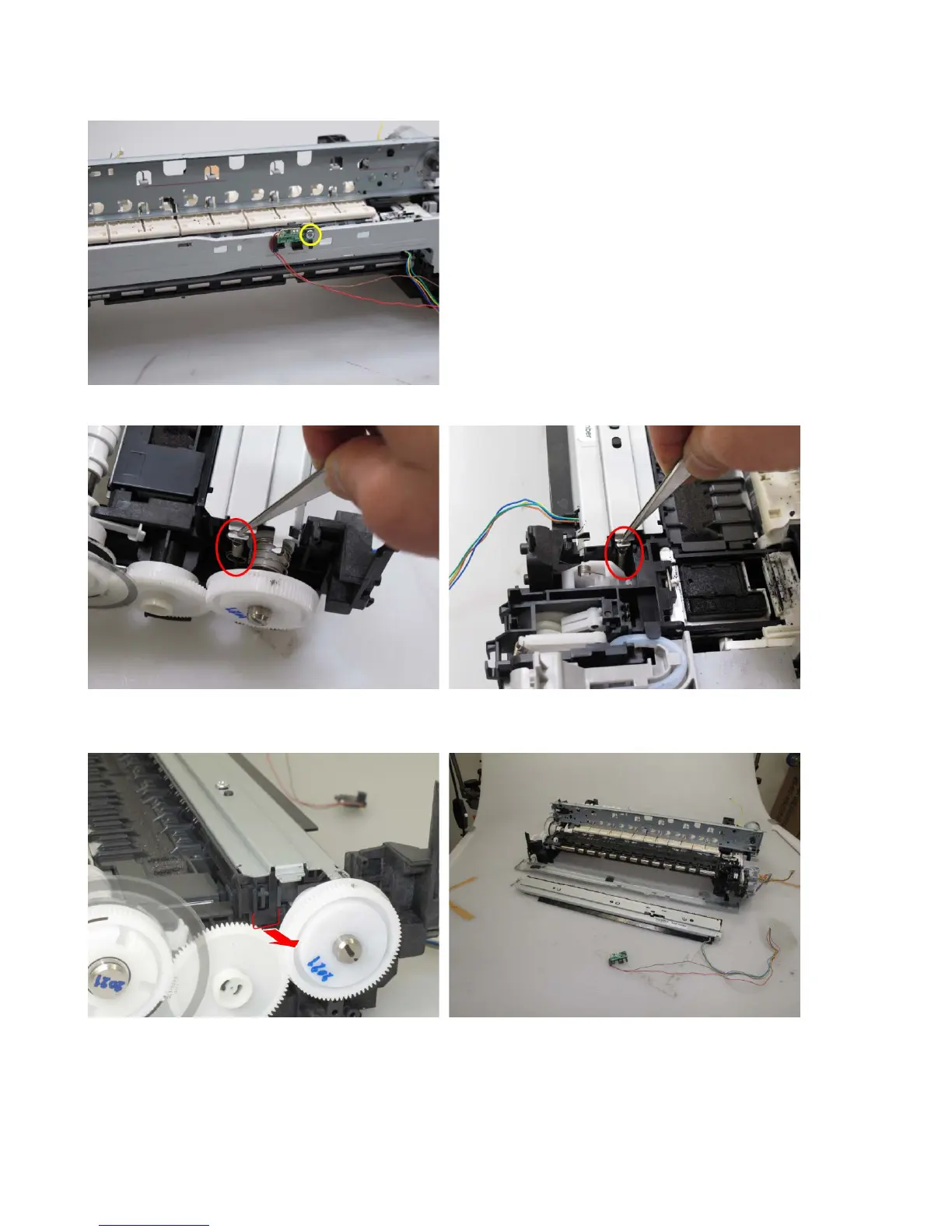
(7) Spur unit and platen unit removal
1) Remove the ink sensor from the front chassis (1 screw).
2) From the left and right sides of the spur unit, release the springs (one spring each).
3) On the both ends of the spur unit, pull the hooks outward to release them from the platen unit,
and lift the spur unit to separate it from the platen unit.




 To Next Page