(3) Carriage unit replacement
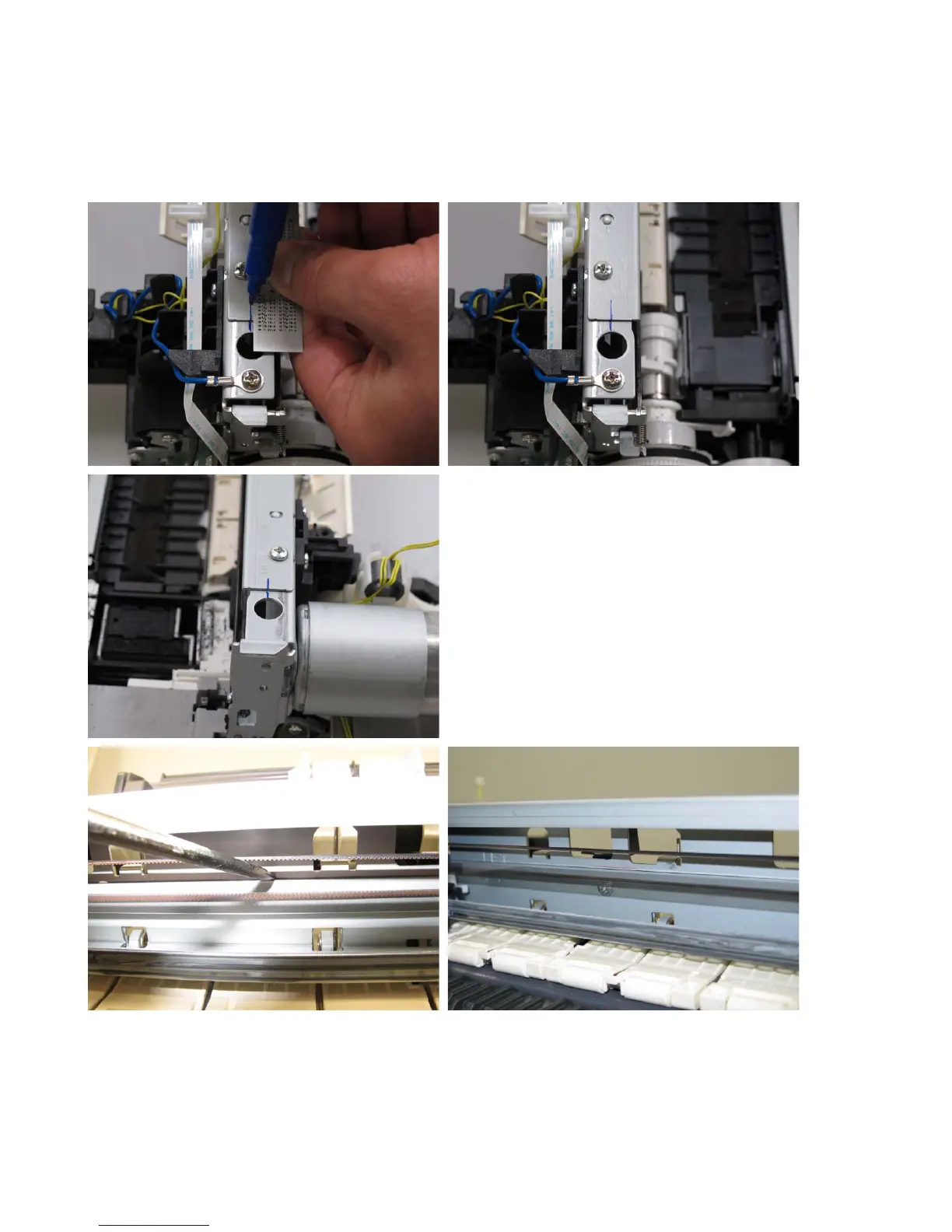
In the iX6500 series, the carriage upper rail and carriage rail need to be removed from the main chassis.
Before removing the screws from the carriage upper rail and carriage rail, put a mark on the main chassis to
indicate the rail position.
After replacing the carriage, return the carriage upper rail and carriage rail to the original positions while aligning
the rails to the marks on the chassis.




 To Next Page