(same as the one in the user mode)
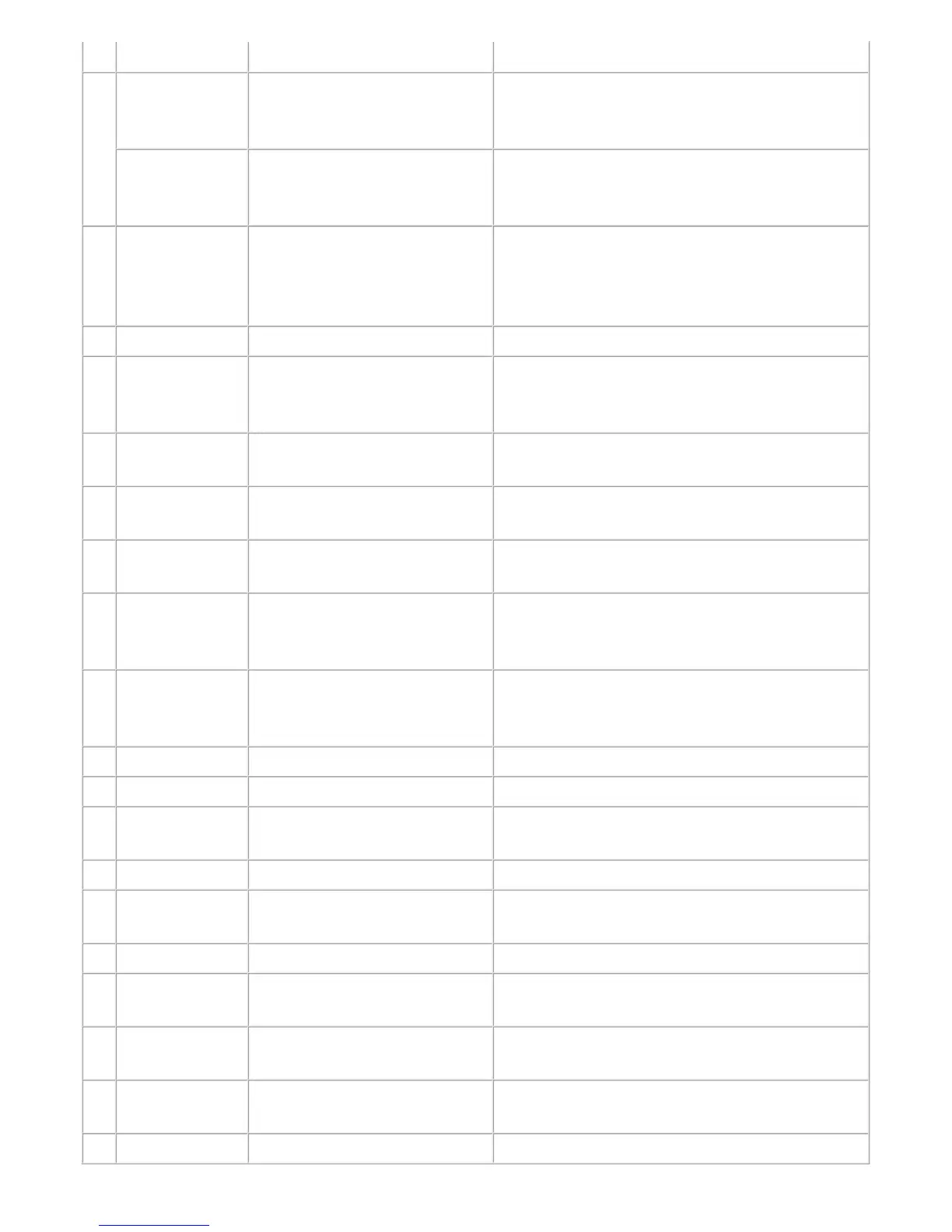
7 Main
(Clear Ink
Counter)
Main ink absorber counter
resetting
Set a sheet of A4 or Letter sized plain paper. After
the ink absorber counter is reset, the counter value
is printed automatically.
Platen
(Clear Ink
Counter)
Platen ink absorber counter
resetting
Not used.
8 EEPROM Save EEPROM information saving The EEPROM information (same as the one in
EEPROM information print) is displayed on the PC
or is saved to the PC as a text file. This function is
not available in most cases of errors.
9 Panel Check Button and LCD test Not used.
10 Set Destination Destination settings Select the destination, and click Set.
ASA, AUS, BRA, CHN, CND, EMB, EUR, JPN,
KOR, LTN, TWN, USA
11 Ink Absorber
Counter
Ink absorber counter setting See "(4) Ink absorber counter setting" below.
12 Print (CD-R
Correction)
Printing of the pattern for disc
label print position correction
Not used.
13 CD-R Correction Disc label print position
correction (X and Y direction)
Not used.
14 Print (LF/ EJECT
Correction)
LF / Eject correction pattern print Perform LF / Eject correction only when streaks or
uneven printing occurs after the repair. See "(3) LF /
Eject correction" below.
15 LF/ EJECT
Correction
LF / Eject correction value
settings
Set the correction value based on the printed pattern
(14. LF/EJECT correction pattern print). See "(3)
LF / Eject correction" below.
16 Auto LF/EJ (1) Automatic LF / Eject correction Not used.
17 Auto LF/EJ (2) Automatic LF / Eject correction Not used.
18 Left Margin
Correction
Left margin pattern print and
correction
Not used.
19 Set Time Time setting Not used.
20 PTT Parameter
Mode In
Entry in the PTT parameter mode Not used..
21 Ink Sensor Pressure sensor correction Not used.
22 Head Temp
Sensor
Print head diode sensor
correction
Not used.
23 Wetting Liquid
Counter
Wetting liquid counter setting Not used.
24 Panel Rank Capacitive sensor sensitivity
setting
Not used.
25 Flatbed Scanner Individual scanner adjustment Not used.




 To Next Page