Using the Canon
Advanced Printing
Technology
Chapter 3 Using the Canon Advanced Printing Technology 53
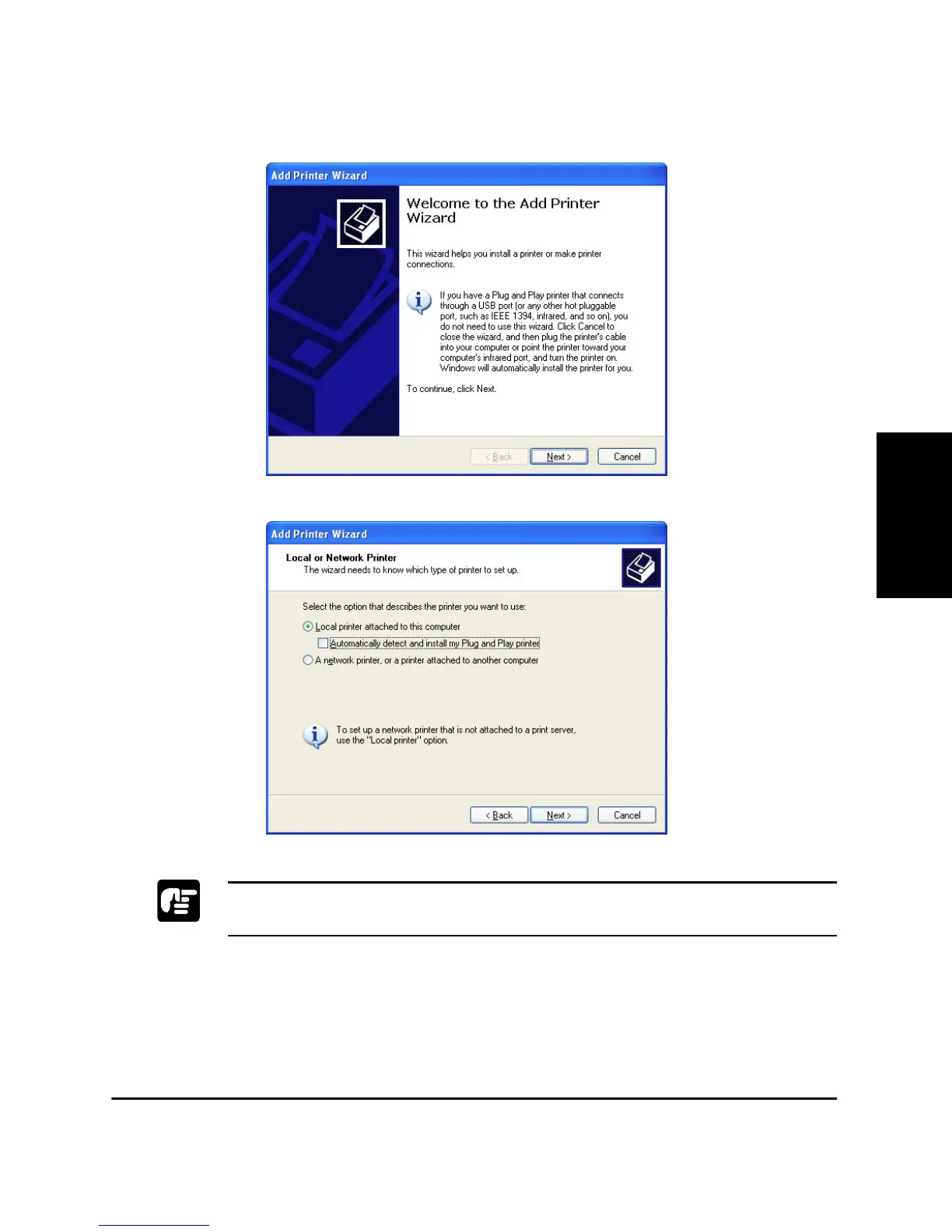
3. Double-click the Add Printer icon. The Add Printer Wizard dialog
box appears. Click Next >.
4. Select Local printer attached to this computer, then click Next >.
To check on “Automatically detect and install my Plug and Play printer”
is not recomended.












 To Next Page