78 Using the Canon Advanced Printing Technology Chapter 3
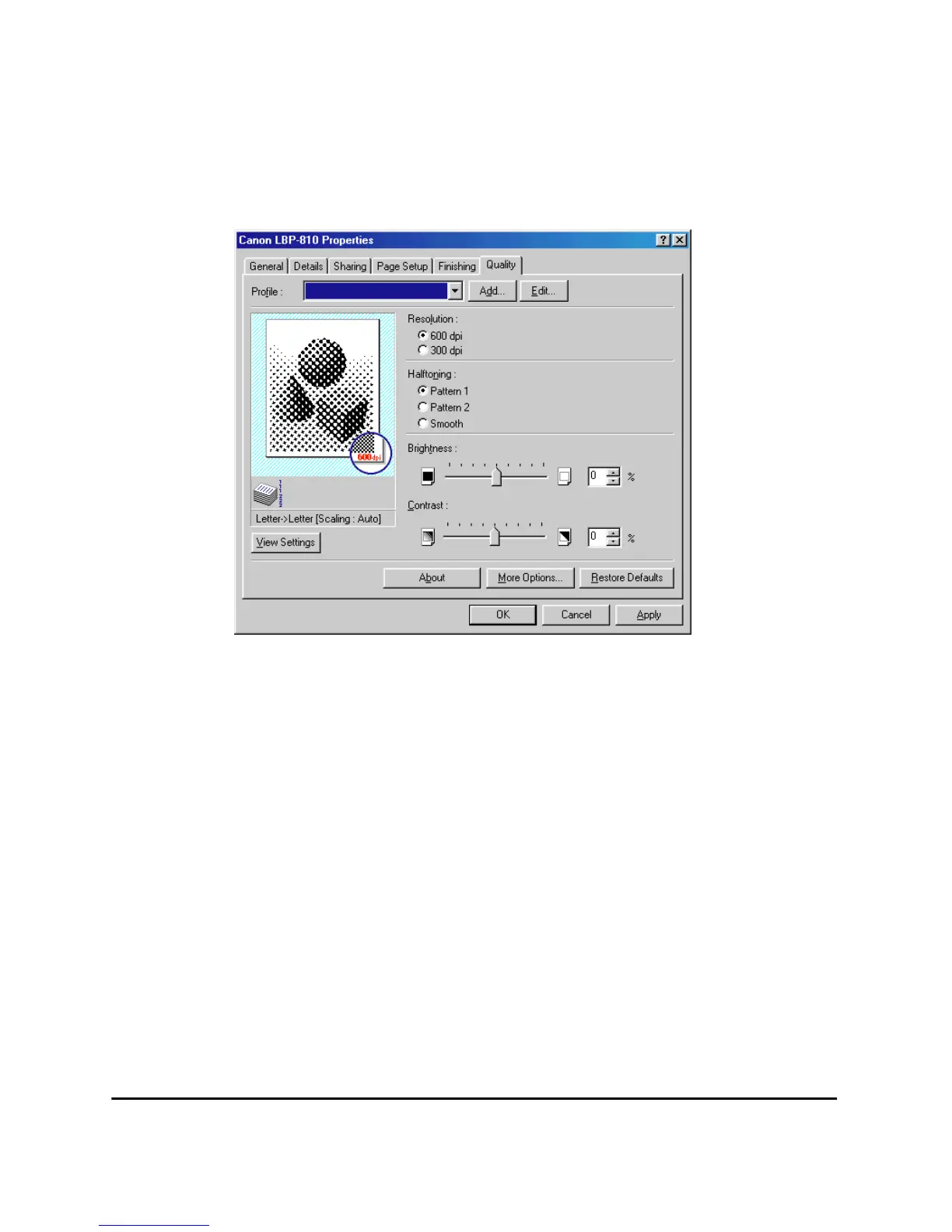
Quality Tab
Specifies the resolution, halftoning method, brightness, and contrast
settings.
For information on Profiles, see page 75.
Resolution lets you specify the printer’s resolution in dots per inch
(600,300).
Halftoning is the process of converting a grayscale image to black dots
and white (unprinted) dots that simulate the gray shades in the original
image. Different halftone patterns give different gray shade results.
Brightness is the relative proportion of light and dark areas. Decreasing
brightness darkens the overall image; increasing brightness lightens it.
Brightness is expressed as a relative range from -80% to +80%.
Contrast is the degree of difference between the lightest and darkest
areas of an image. Decreasing contrast lightens the dark areas and
darkens the light areas; increasing it darkens the dark areas and lightens
the light areas. Contrast is expressed as a relative range from -80% to
+80%.












 To Next Page