Preparations 27
Accessories
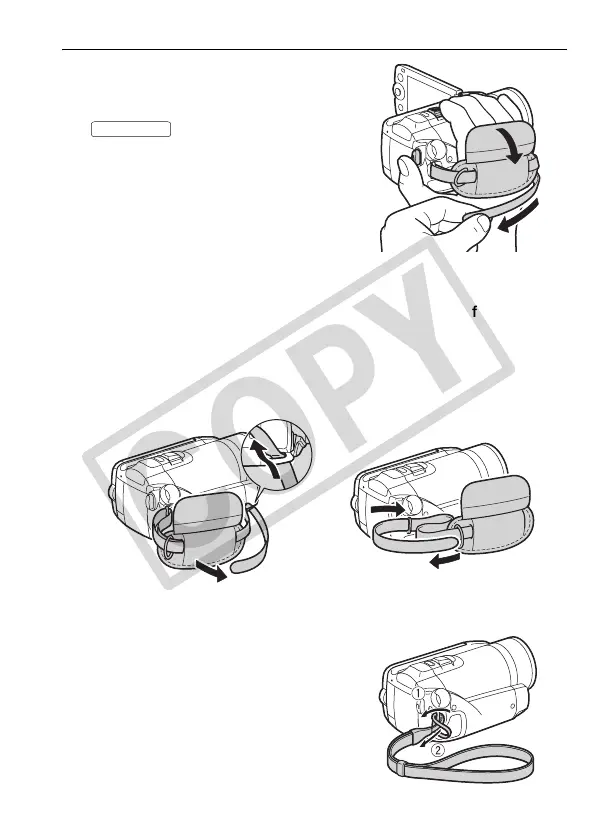
Fasten the grip belt.
Adjust the grip belt so that you can reach
the zoom lever with your index finger, and
the button with your thumb.
To remove the grip belt
1 Lift the padded handgrip's flap and detach the strap from the
Velcro pad.
2 Pull the strap to remove it first from the front bracket on the
camcorder, then to unthread it from the handgrip and finally to
remove it from the rear bracket on the camcorder.
To attach the wrist strap
Pass the attaching end of the wrist
strap through the back bracket on the
camcorder, thread the wrist strap
through the loop and fasten.
You can also attach the wrist strap to the
strap mount on the grip belt to use both
for extra convenience and protection.
START/STOP











 To Next Page