90 Photos
Photos
Refer to this chapter for details on shooting photos – taking
photos and playing them back, capturing photos from video
and printing photos.
Basic Recording
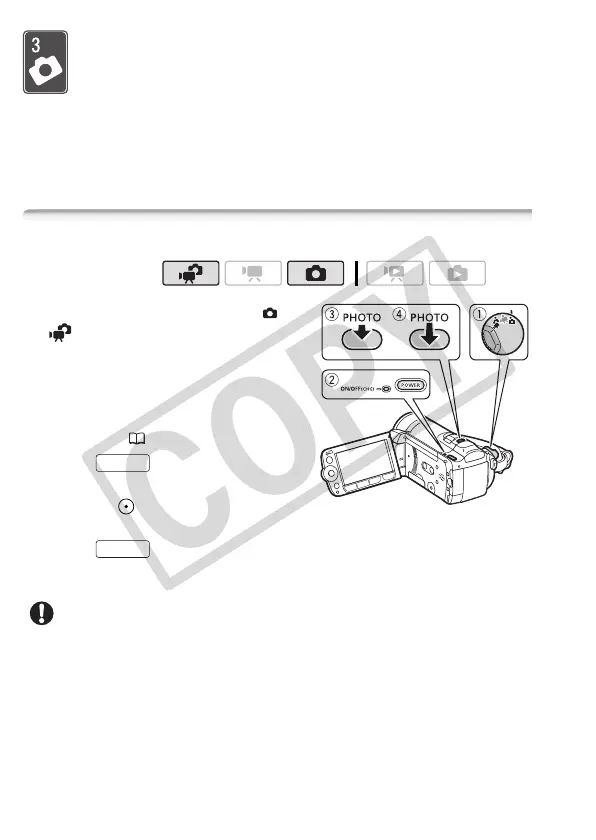
Taking Photos
1 Set the camera mode dial to or
.
2 Turn on the camcorder.
By default, photos are recorded in the
built-in memory. You can set the
memory card as the recording media
for photos ( 39).
3 Press halfway.
Once the focus is automatically
adjusted, will turn green and one
or more AF frames will appear.
4 Press fully.
The ACCESS indicator will flash as the photo is being recorded.
IMPORTANT
• Observe the following precautions while the ACCESS indicator is on or
flashing. Failing to do so may result in permanent data loss.
- Do not open the memory card slot cover.
- Do not disconnect the power source or turn off the camcorder.
- Do not change the camcorder’s operating mode.
Operating modes:
PHOTO
PHOTO











 To Next Page