4. Remove the ADF Unit + Reader Unit.(Refer to
“Removing the ADF Unit + Reader Unit” on page
130)
5. Remove the Rear Upper Cover.(Refer to “Removing
the Rear Upper Cover” on page 123)
■ Procedure
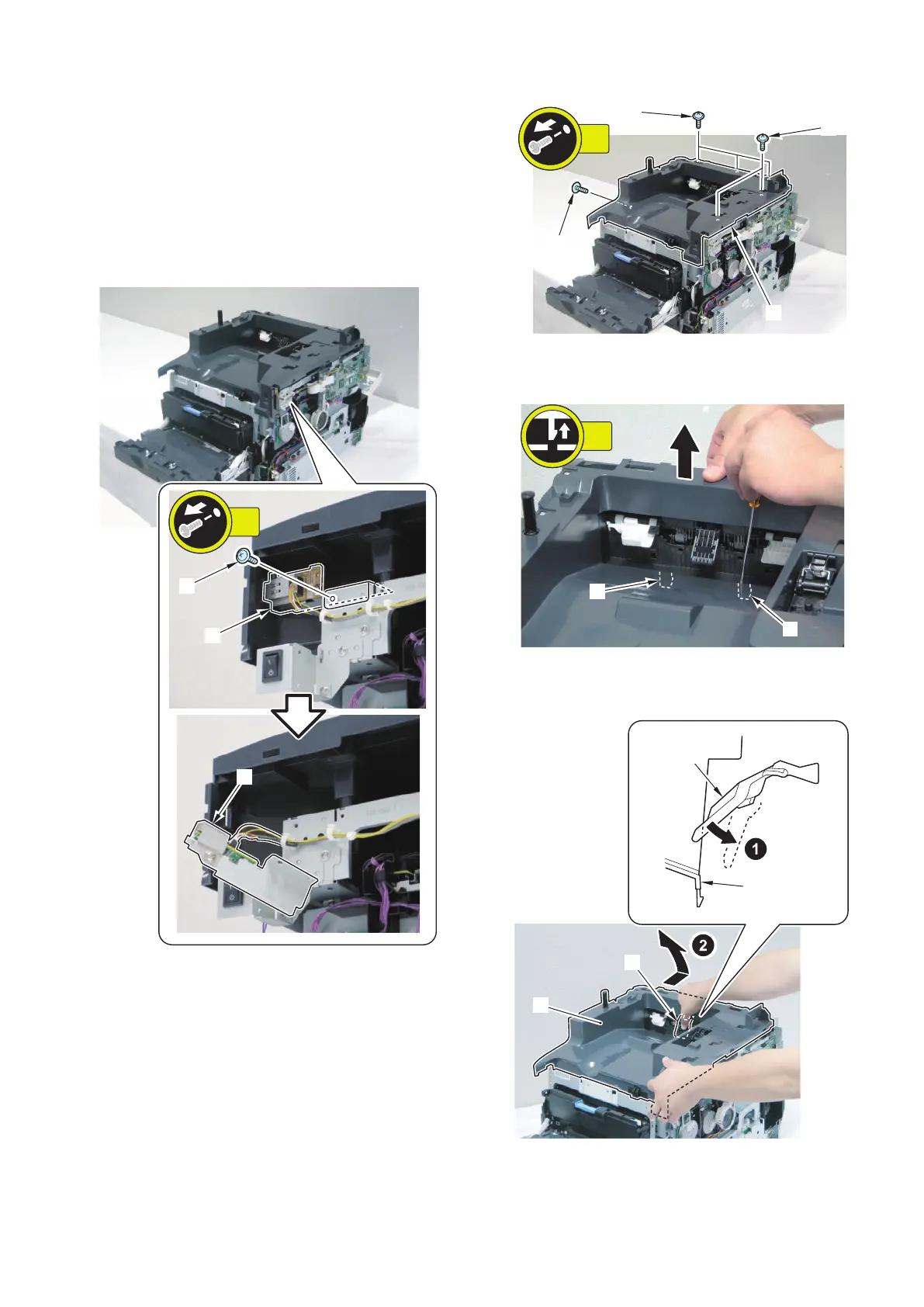
1. Remove the USB Host PCB Unit [1].
• 1 screw [2]
2. Remove 6 screws [1].
3. Release 2 claws [1] of the Upper Cover with a flat-
blade screwdriver.
4. Push down the flag [1] and remove the rear side of
the Upper Cover [2].
4. Disassembly/Assembly
126











 To Next Page