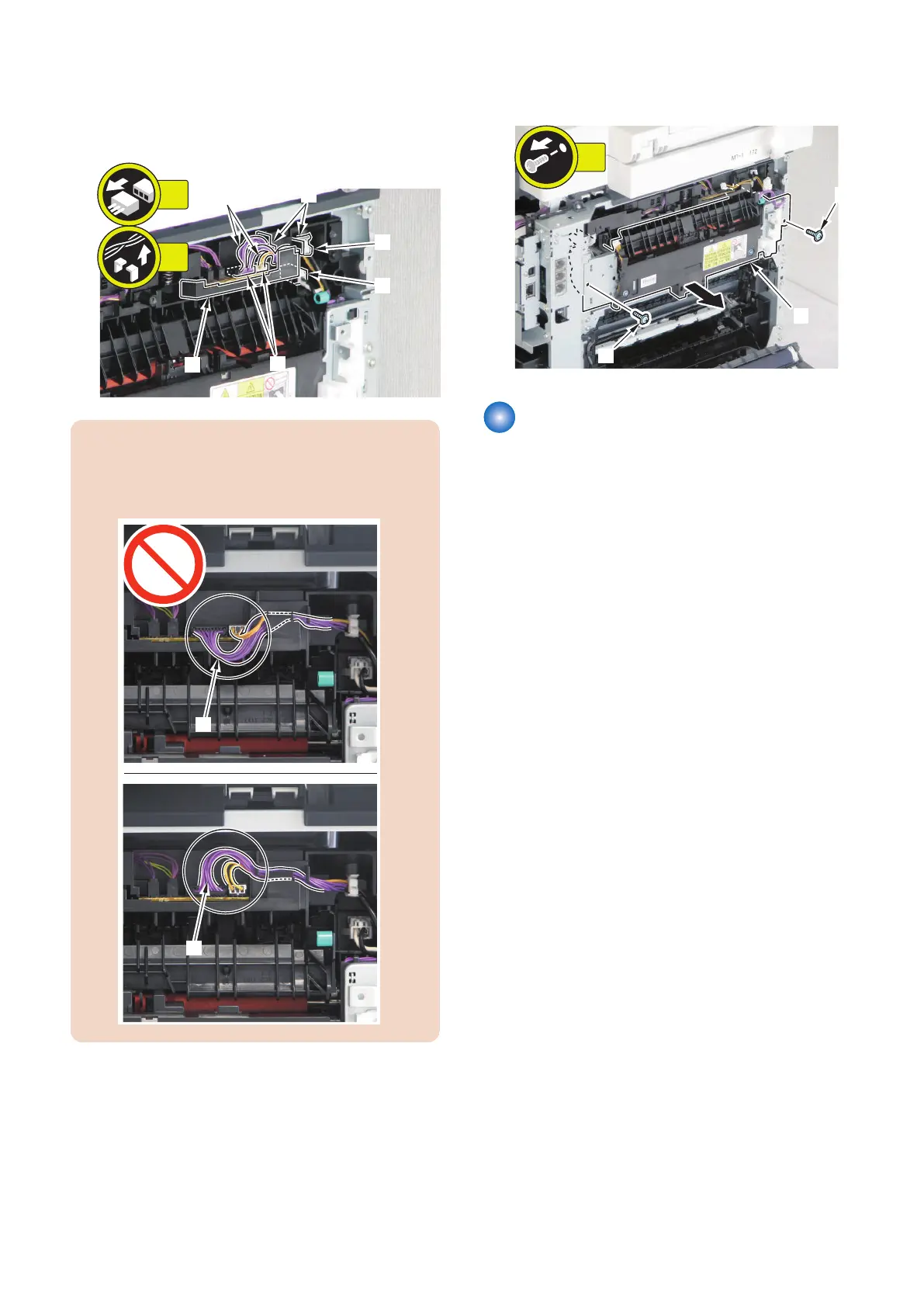
2. Free the harness [1] from the harness guide [2].
• 3 connectors [3]
• 2 fixing guides [4]
• 1 wire saddle [5]
CAUTION:
When the fixing assembly is installed, handle the
harness [1] like the figure to prevent papers from the
interference at the transit.
3. Remove the Fixing Assembly [1].
• 2 screws [2]
Removing the Fixing Film Unit
■ Preparation
1. Removing the Right Cover.(Refer to “Removing the
Right Cover” on page 120)
2. Removing the Left Cover.(Refer to “Removing the
Left Cover” on page 118 )
3. Removing the Rear Upper Cover.(Refer to
“Removing the Rear Upper Cover” on page 123)
4. Removing the Rear Cover.(Refer to “Removing the
Rear Cover” on page 123)
5. Removing the Rear Lower Cover.(Refer to
“Removing the Rear Lower Cover” on page 123)
6. Removing the Rear Cover Rib Unit.(Refer to
“Removing the Rear Cover Rib Unit” on page 125 )
7. Removing the Duplex Printing Reverse Drive Unit.
(Refer to “Removing the Duplex Reverse Drive Unit”
on page 179)
8. Removing the Fixing Assembly.(Refer to “Removing
the Fixing Assembly” on page 200)
4. Disassembly/Assembly
201











 To Next Page