■ Procedure
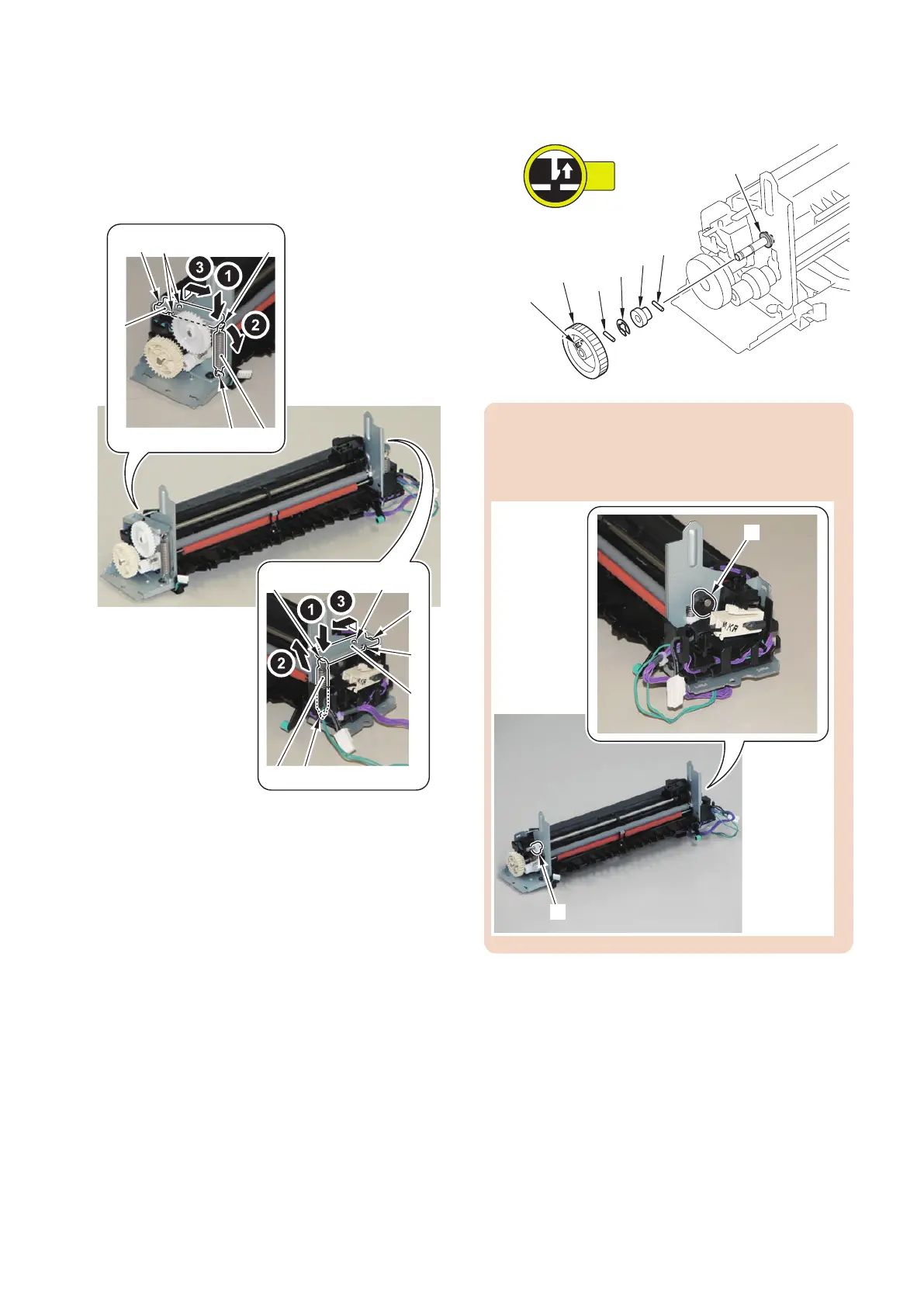
1. Remove the 2 Pressure Springs [1] on the right and
left and the 2 Pressure Plates [2].
• 4 Hooks [3]
• 4 Bosses [4]
• 2 Protrusions [5]
[5]
[2]
[3]
[3]
[5]
[2]
[3]
[3]
[4]
[4]
[4]
[1]
[1]
2. Remove the gear [1], 2 Parallel Pins [2], E-Ring [3],
cam [4], and bushing [5].
• 1 Claws [6]
CAUTION:
At installation, be sure to match the direction of the cam
[4] with that of the cam [6] on the other side of the Fixing
Assembly.
4. Disassembly/Assembly
202











 To Next Page