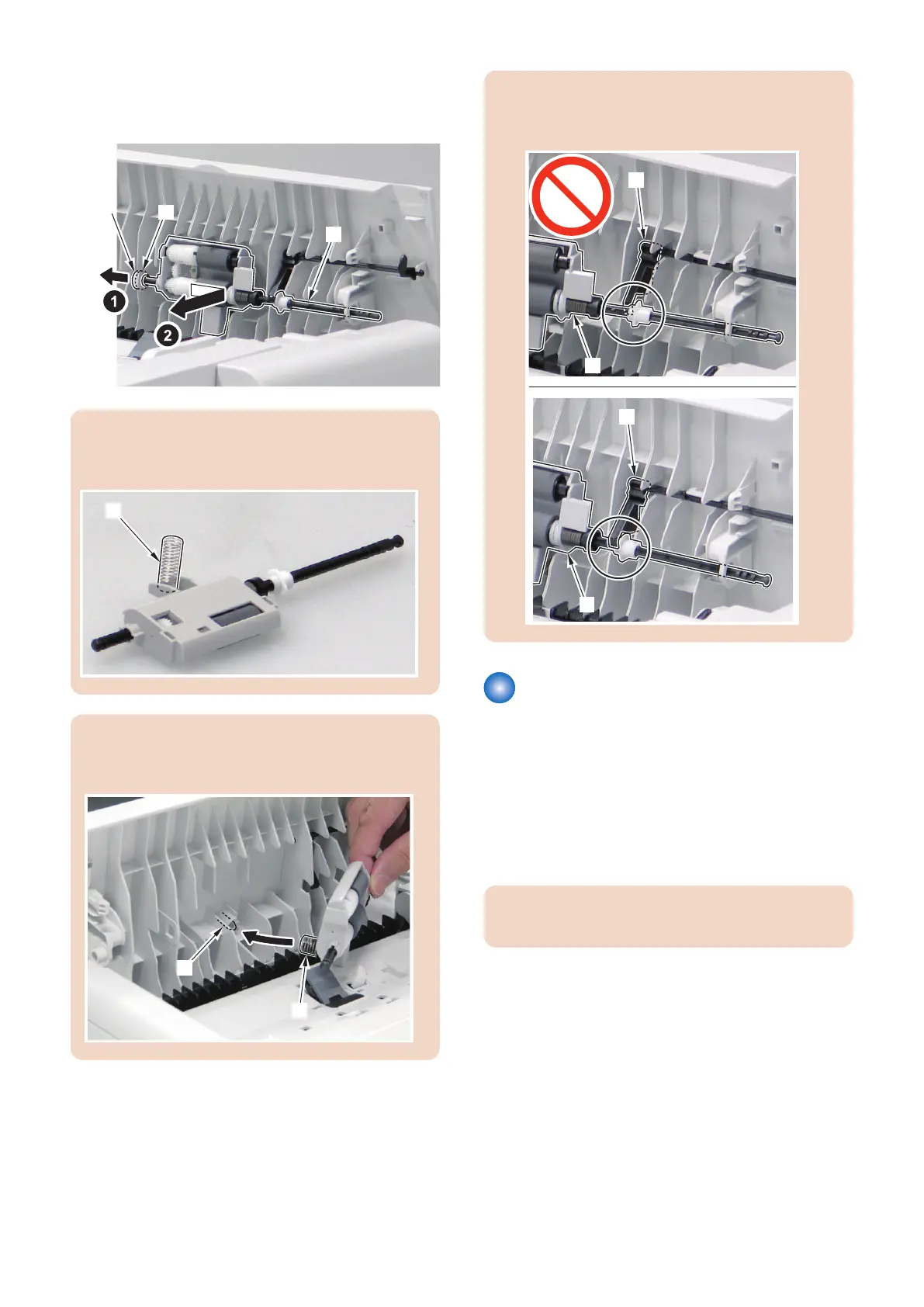
4. Remove the ADF Roller Unit [1].
• 1 plastic E-ring [2]
• 1 bushing [3]
CAUTION:
Be careful not to lose the spring [1] attached to the ADF
Roller Unit.
CAUTION:
When installing, match the spring [1] of the ADF Roller
Unit to the boss [2].
CAUTION:
Be sure to put the Sensor Flag [1] above the ADF Roller
Unit [2] at installation work.
Removing the ADF Pickup
Roller
■ Preparation
1. Remove the ADF Roller Unit.(Refer to “Removing the
ADF Roller Unit” on page 136)
■ Procedure
CAUTION:
Do not touch the surface of the roller.
4. Disassembly/Assembly
137











 To Next Page