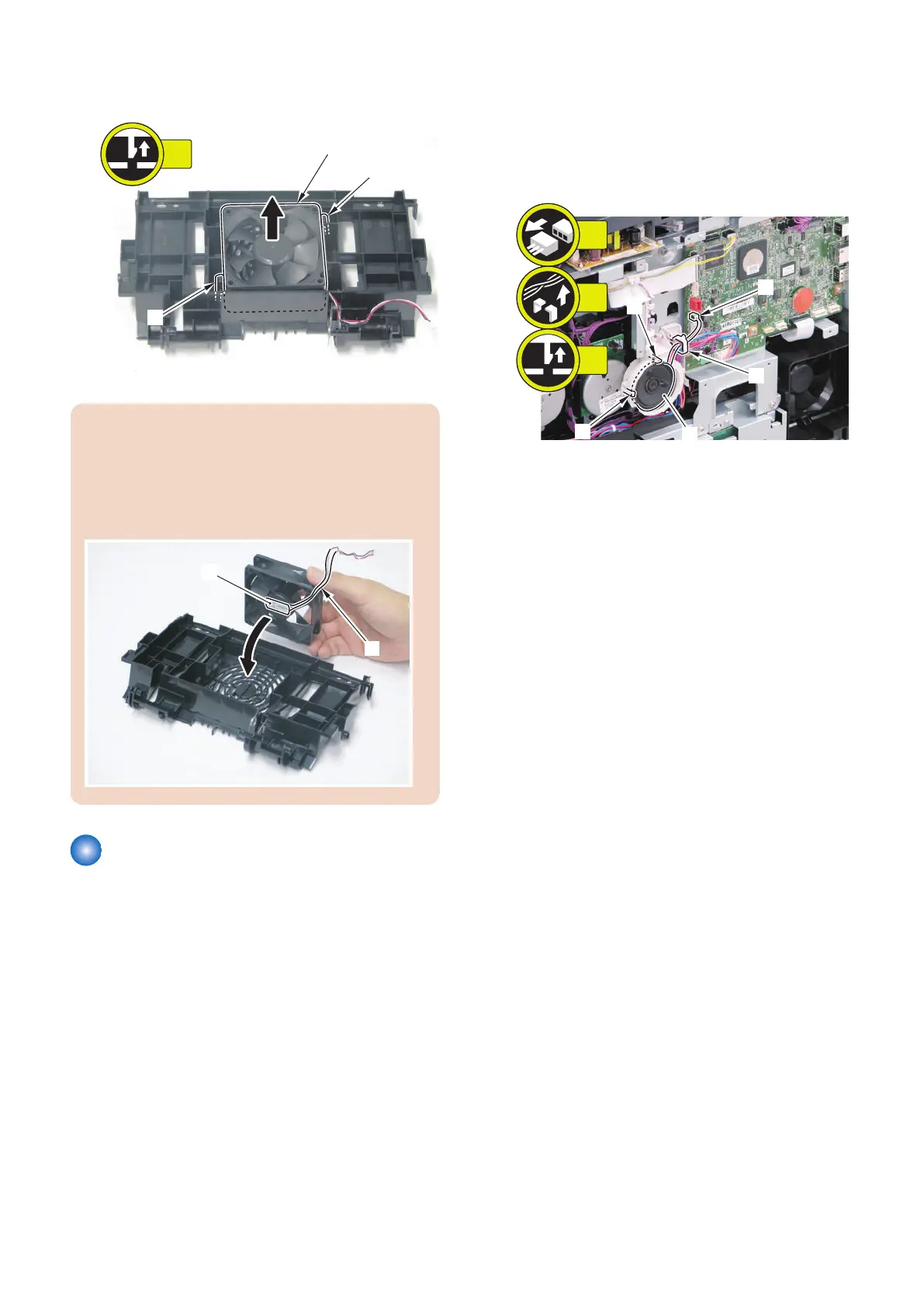
4. Remove the 2 claws [1] to remove the Duplex
Feeding Fan [2].
CAUTION:
When installing the Duplex Feeding Fan, be careful of
the installation direction.
• Place the Fan Cable [1] in the indicated position.
• Make sure that the fan label [2] faces to the Duplex
Feeding Unit side.
Removing the Speaker
(MF728Cdw / 727Cdw / 725Cdn)
■ Preparation
1. Removing the Right Cover.(Refer to “Removing the
Right Cover” on page 120)
2. Removing the Controller Cover.(Refer to “Removing
the Controller Cover” on page 157)
■ Procedure
1. Remove the Speaker [1].
• 1 connector [2]
• 1 wire saddle [3]
• 2 claws [4]
4. Disassembly/Assembly
183











 To Next Page