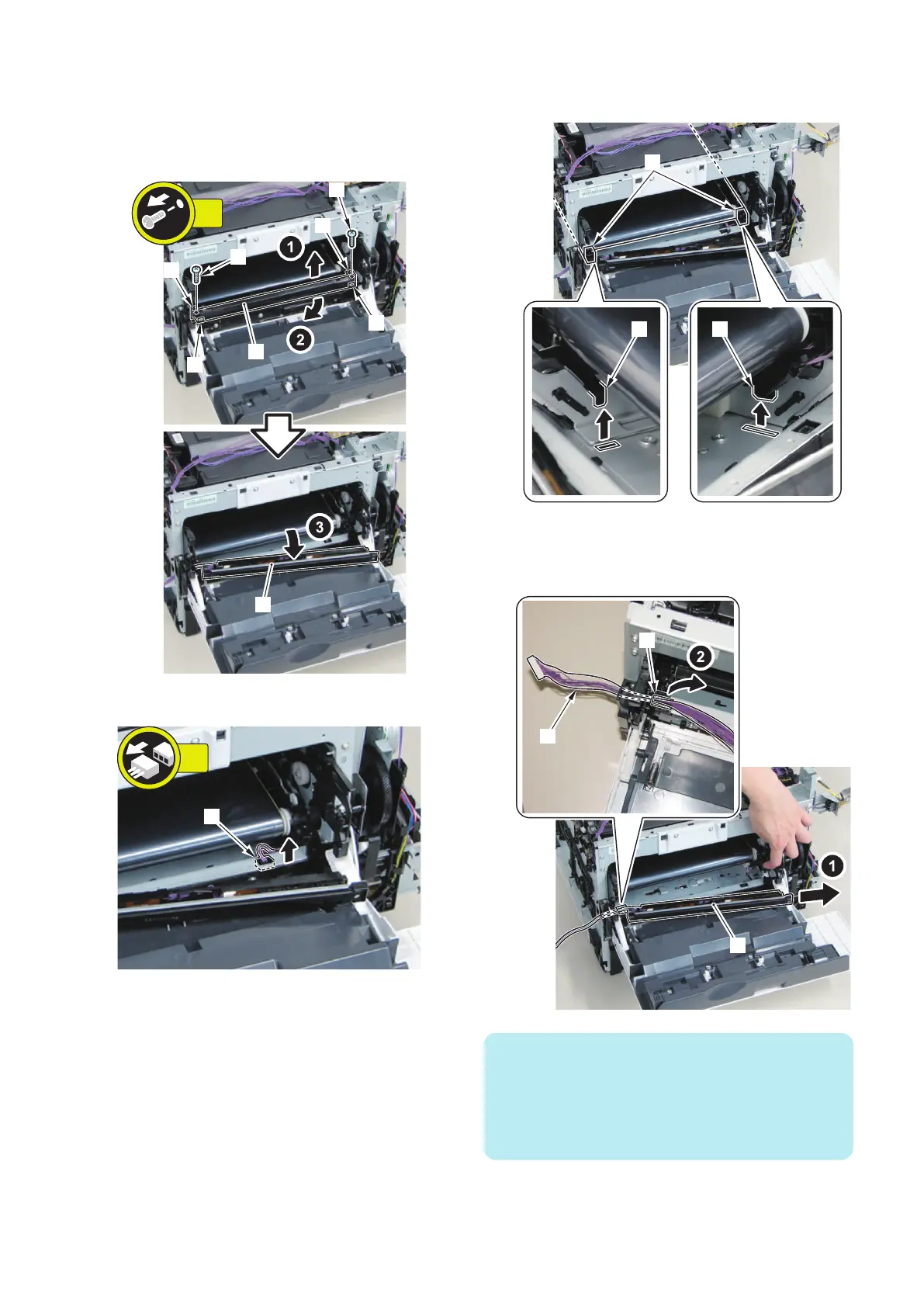
2. Move the Patch Density and Registration Sensor
Unit [1].
• 2 Screws [2]
• 2 Bosses [3]
• 2 Protrusions [4]
[1]
[1]
[3]
[4]
[4]
[3]
[2]
[2]
2x
3. Disconnect the connector [1].
4. Lift the 2 parts [A] at the front side of the ITB Unit to
release the 2 protrusions [1].
5. Put the connector [1] through the hole [A] and
remove the Patch Density/Registration Patch
Sensor Unit [2].
NOTE:
When it is difficult to put the connector [1] of the Patch
Density/Registration Sensor Unit [2] through the hole [A],
refer to the following steps to remove the Front Cover Link
Arm (Left) so that the connector [1] can be put through the
hole [A] more easily.
4. Disassembly/Assembly
194











 To Next Page