■ Procedure
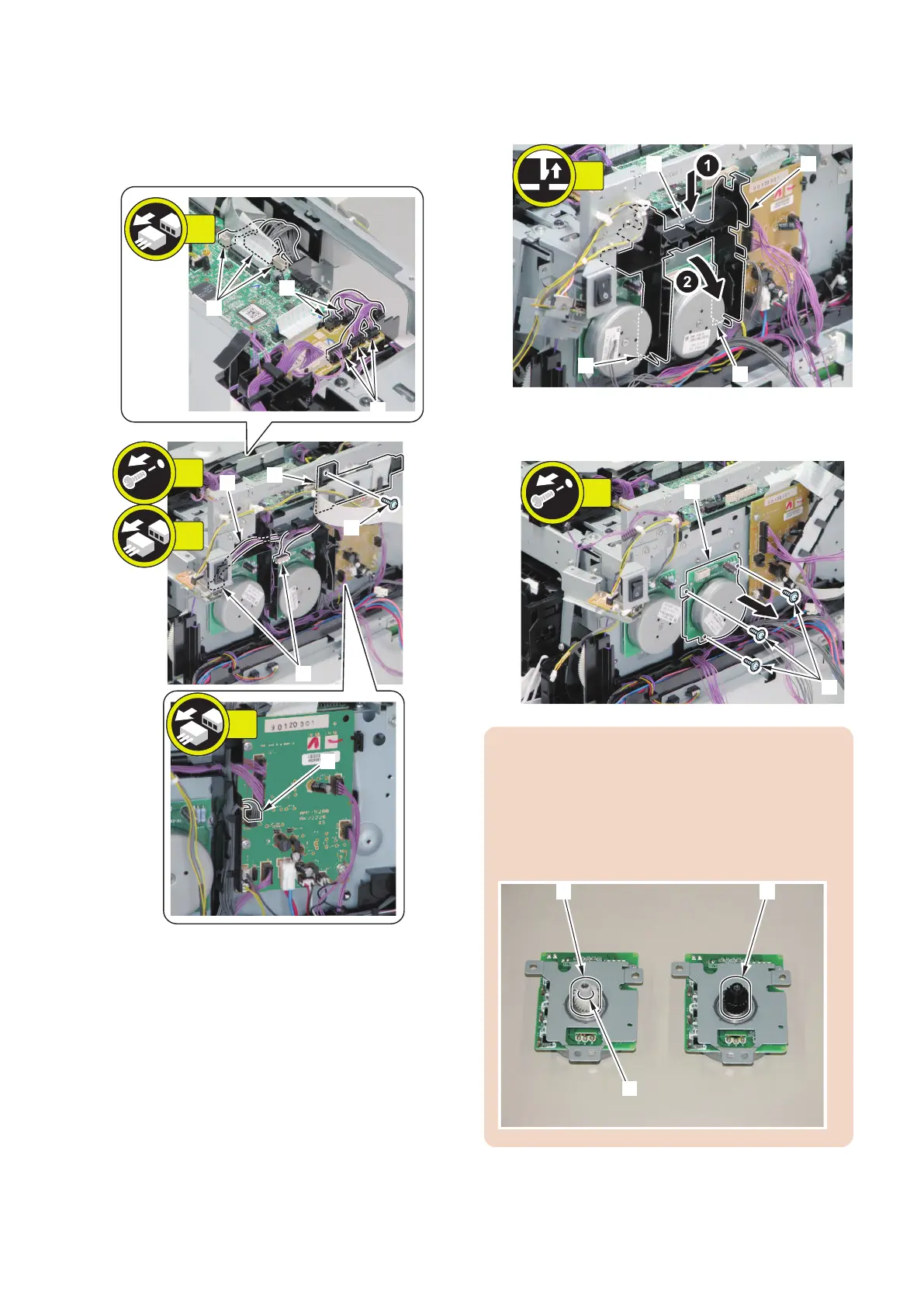
1. Remove the fixing guide [1] and the wire harness [2].
• 1 screw [3]
• 11 connectors [4]
[1]
[2]
[4]
[4]
[4]
[4]
[4]
[3]
8x
1x
2x
1x
2. Remove the wire harness guide [1].
• 1 claw [2]
• 2 hooks [3]
3. Remove the Drum Motor [1].
• 3 screws [2]
CAUTION:
Be sure to identify the Drum Motor and the Developing
Motor by the difference in gears.
• Gear [1] of the Drum Motor: White, with a groove
[A] on its side
• Gear [2] of the Developing Motor: Black, with no
groove
4. Disassembly/Assembly
197











 To Next Page