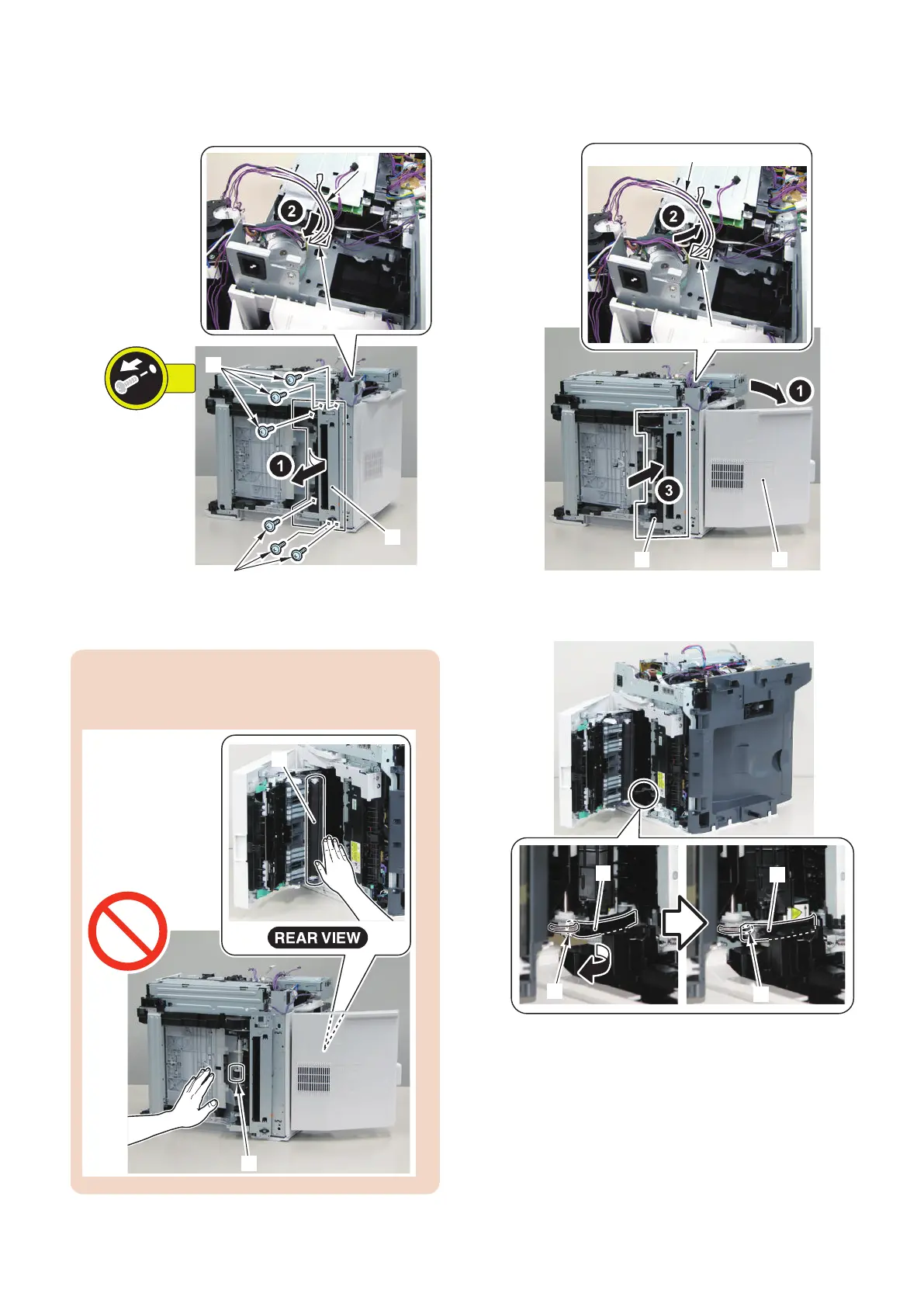
8. Put the harness [1] through the hole [A] of the Side
Plate, and remove the Pickup Unit [2].
• 6 Screws [3]
■ Installation Method
CAUTION:
Be sure not to touch the Pickup Roller [1] and the
Secondary Transfer Roller [2].
1. Open the Rear Cover [1], Put the harness [2] through
the hole [A] of the Side Plate, and Install the Pickup
Unit [3] to the host machine.
2. Place the edge [A] of the guide of the Pickup Unit
over the spring [1] of the host machine.
4. Disassembly/Assembly
217











 To Next Page