15
Basic Functions
Preparations
E
Installing the Backup Battery
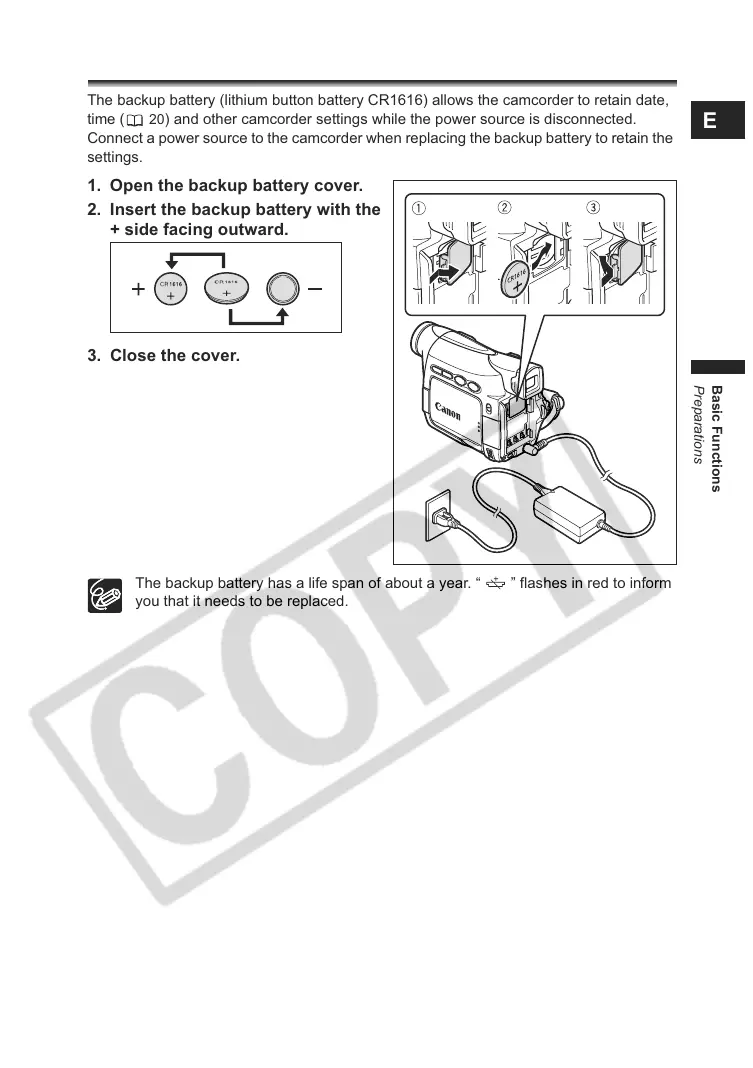
The backup battery (lithium button battery CR1616) allows the camcorder to retain date,
time (
20) and other camcorder settings while the power source is disconnected.
Connect a power source to the camcorder when replacing the backup battery to retain the
settings.
1. Open the backup battery cover.
2. Insert the backup battery with the
+ side facing outward.
3. Close the cover.
The backup battery has a life span of about a year. “ ” flashes in red to inform
you that it needs to be replaced.



 To Next Page