58
Changing the Recording Mode (SP/LP)
You can choose between SP (standard play) and LP (long play). LP extends the tape
usage by 1.5 times.
* MV850i/MV830i only.
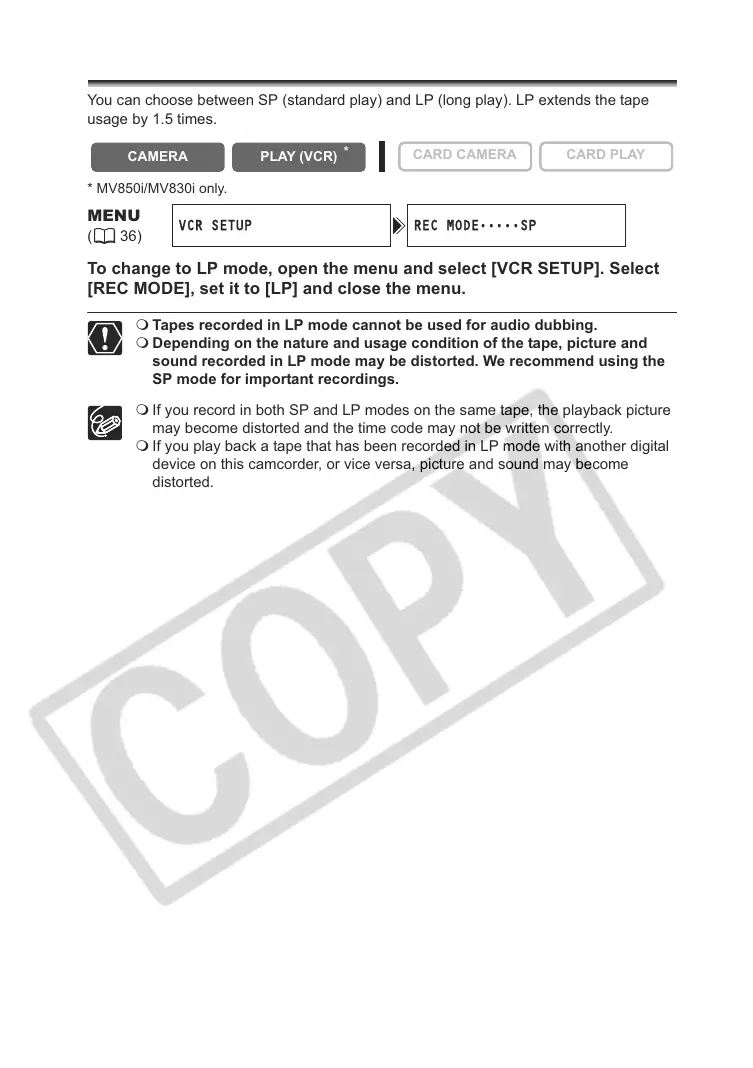
To change to LP mode, open the menu and select [VCR SETUP]. Select
[REC MODE], set it to [LP] and close the menu.
Tapes recorded in LP mode cannot be used for audio dubbing.
Depending on the nature and usage condition of the tape, picture and
sound recorded in LP mode may be distorted. We recommend using the
SP mode for important recordings.
If you record in both SP and LP modes on the same tape, the playback picture
may become distorted and the time code may not be written correctly.
If you play back a tape that has been recorded in LP mode with another digital
device on this camcorder, or vice versa, picture and sound may become
distorted.
CAMERA
PLAY (VCR)
CARD CAMERA CARD PLAY
MENU
(36)
VCR SETUP REC MODE
•••••
SP
*



 To Next Page