63
Advanced Functions
Recording
E
Selecting an Effect
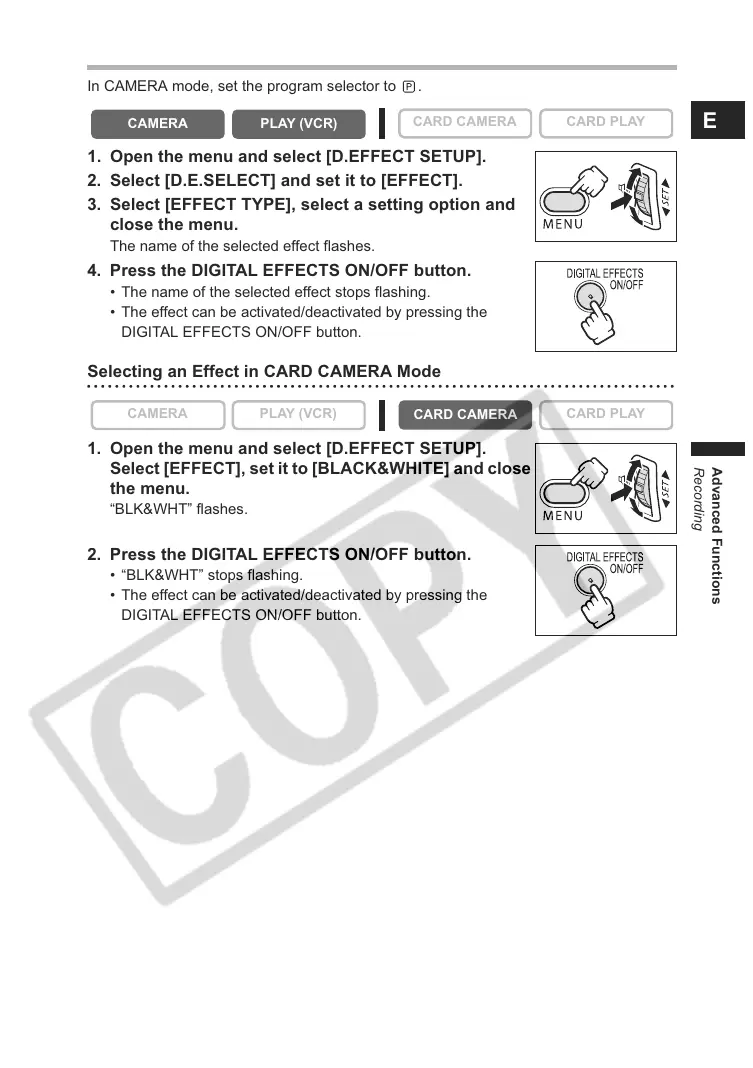
In CAMERA mode, set the program selector to .
1. Open the menu and select [D.EFFECT SETUP].
2. Select [D.E.SELECT] and set it to [EFFECT].
3. Select [EFFECT TYPE], select a setting option and
close the menu.
The name of the selected effect flashes.
4. Press the DIGITAL EFFECTS ON/OFF button.
• The name of the selected effect stops flashing.
• The effect can be activated/deactivated by pressing the
DIGITAL EFFECTS ON/OFF button.
Selecting an Effect in CARD CAMERA Mode
1. Open the menu and select [D.EFFECT SETUP].
Select [EFFECT], set it to [BLACK&WHITE] and close
the menu.
“BLK&WHT” flashes.
2. Press the DIGITAL EFFECTS ON/OFF button.
• “BLK&WHT” stops flashing.
• The effect can be activated/deactivated by pressing the
DIGITAL EFFECTS ON/OFF button.
CAMERA
PLAY (VCR)
CARD CAMERA CARD PLAY
CAMERA
PLAY (VCR)
CARD CAMERA
CARD PLAY



 To Next Page