94
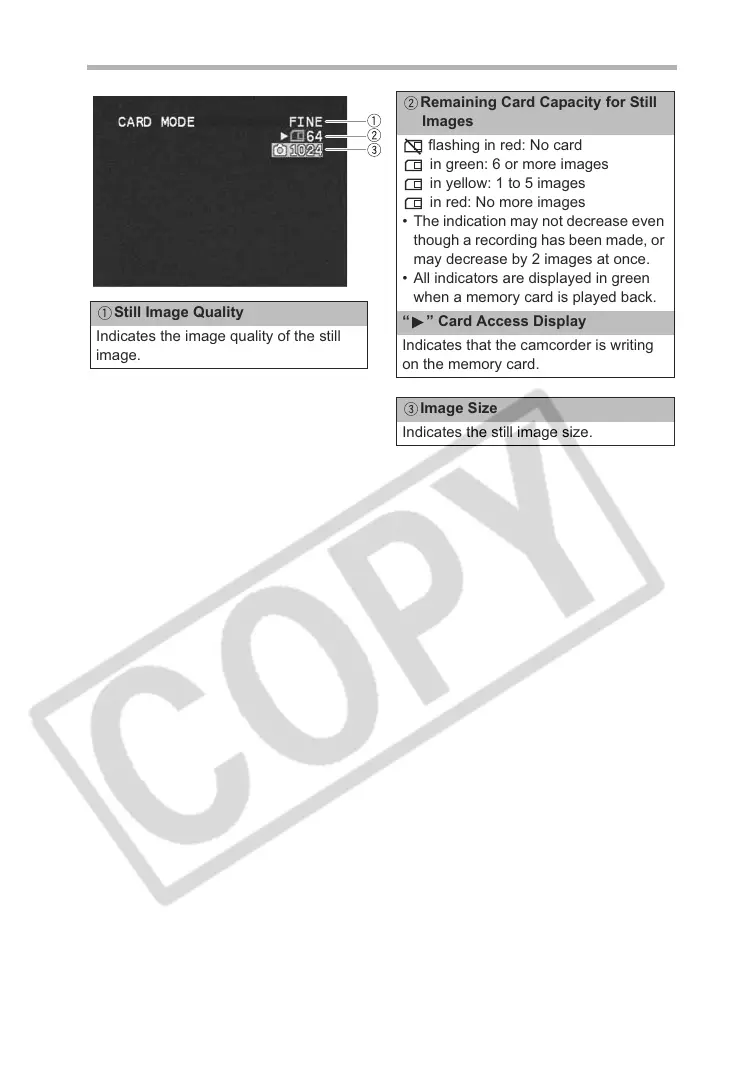
Screen Displays during Still Image Recording
Still Image Quality
Indicates the image quality of the still
image.
Remaining Card Capacity for Still
Images
flashing in red: No card
in green: 6 or more images
in yellow: 1 to 5 images
in red: No more images
• The indication may not decrease even
though a recording has been made, or
may decrease by 2 images at once.
• All indicators are displayed in green
when a memory card is played back.
“ ” Card Access Display
Indicates that the camcorder is writing
on the memory card.
Image Size
Indicates the still image size.



 To Next Page