22
Displaying Date and Time during Recording
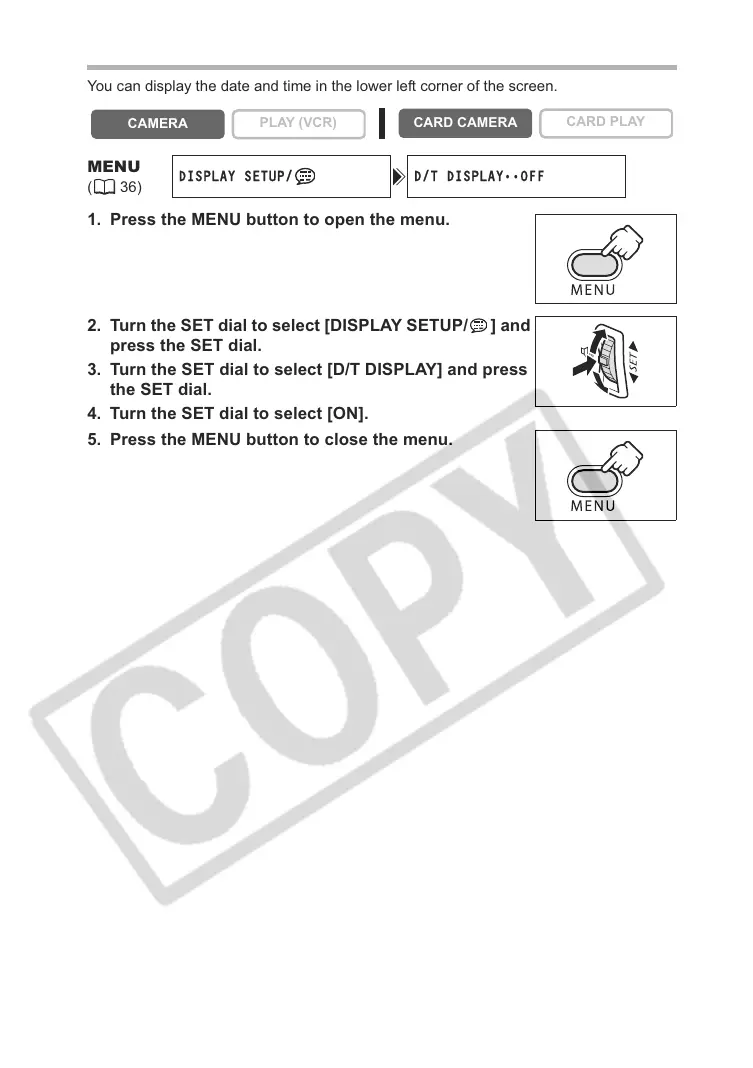
You can display the date and time in the lower left corner of the screen.
1. Press the MENU button to open the menu.
2. Turn the SET dial to select [DISPLAY SETUP/ ] and
press the SET dial.
3. Turn the SET dial to select [D/T DISPLAY] and press
the SET dial.
4. Turn the SET dial to select [ON].
5. Press the MENU button to close the menu.
CAMERA
PLAY (VCR)
CARD CAMERA
CARD PLAY
MENU
(36)
DISPLAY SETUP/ D/T DISPLAY
••
OFF



 To Next Page