32
Adjusting the Volume
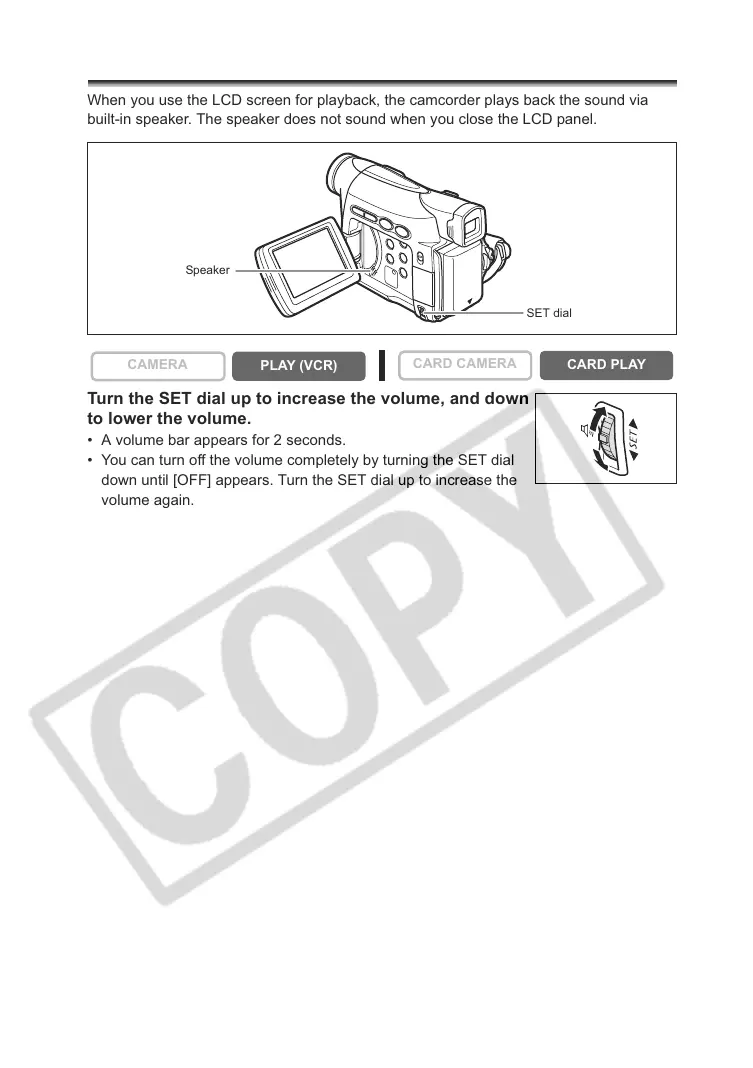
When you use the LCD screen for playback, the camcorder plays back the sound via
built-in speaker. The speaker does not sound when you close the LCD panel.
Turn the SET dial up to increase the volume, and down
to lower the volume.
• A volume bar appears for 2 seconds.
• You can turn off the volume completely by turning the SET dial
down until [OFF] appears. Turn the SET dial up to increase the
volume again.
CAMERA
PLAY (VCR)
CARD CAMERA
CARD PLAY
SET dial
Speaker



 To Next Page