68
Displaying the Data Code
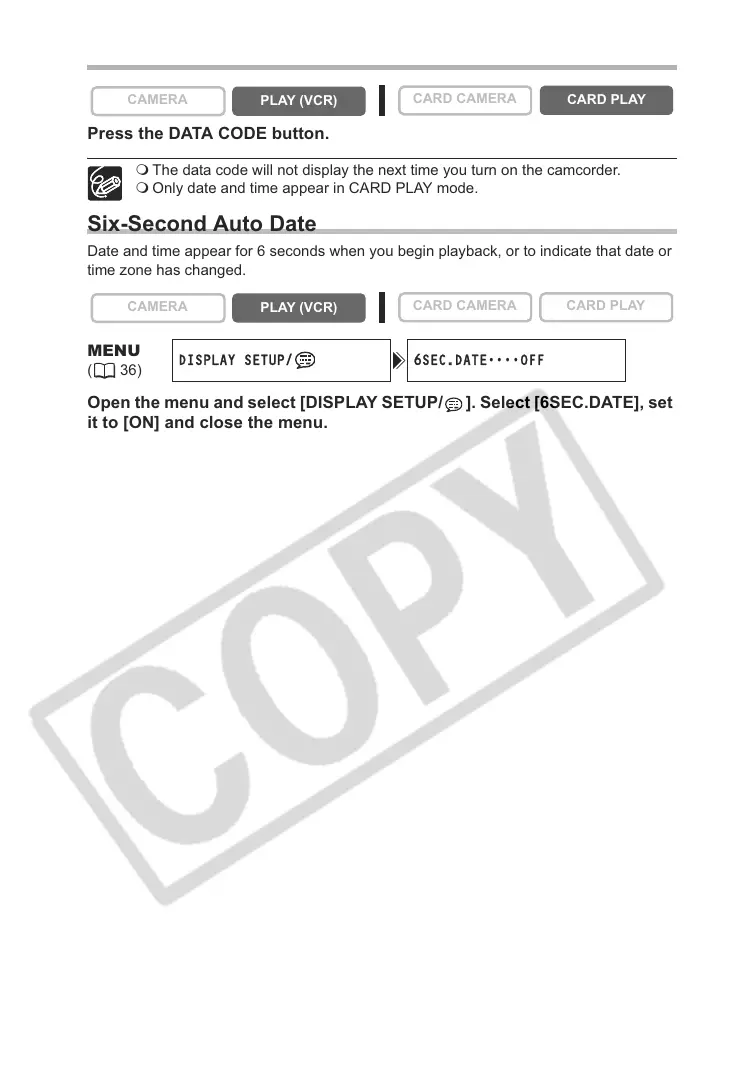
Press the DATA CODE button.
The data code will not display the next time you turn on the camcorder.
Only date and time appear in CARD PLAY mode.
Six-Second Auto Date
Date and time appear for 6 seconds when you begin playback, or to indicate that date or
time zone has changed.
Open the menu and select [DISPLAY SETUP/ ]. Select [6SEC.DATE], set
it to [ON] and close the menu.
CAMERA
PLAY (VCR)
CARD CAMERA
CARD PLAY
CAMERA
PLAY (VCR)
CARD CAMERA CARD PLAY
MENU
(36)
DISPLAY SETUP/ 6SEC.DATE
••••
OFF



 To Next Page