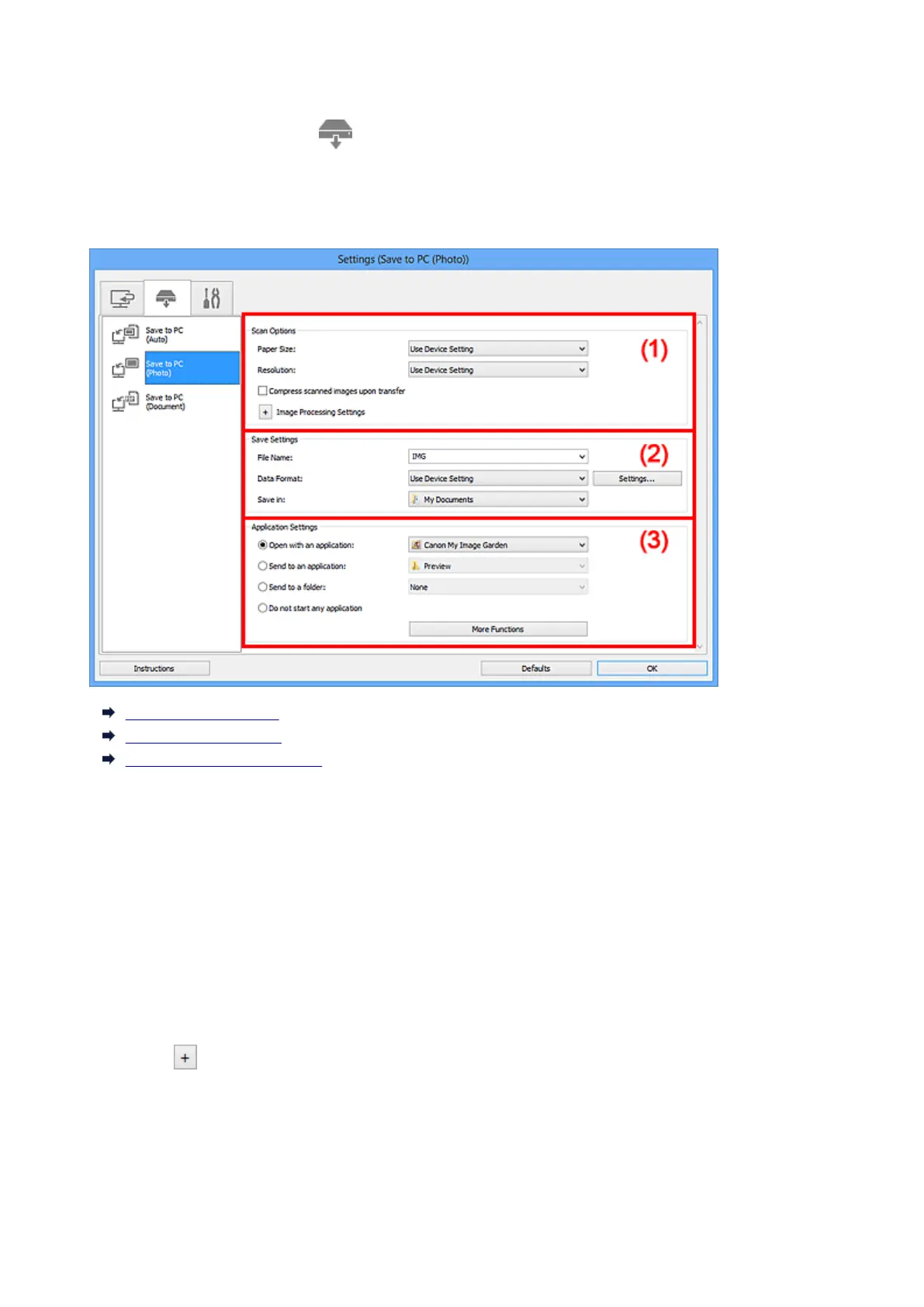
Settings (Save to PC (Photo)) Dialog Box
Click Save to PC (Photo) on the (Scanning from the Operation Panel) tab to display the Settings
(Save to PC (Photo)) dialog box.
In the Settings (Save to PC (Photo)) dialog box, you can specify how to respond when saving images to a
computer as photos after scanning them from the operation panel.
(1) Scan Options Area
(2) Save Settings Area
(3) Application Settings Area
(1) Scan Options Area
Paper Size
Set from the operation panel.
Resolution
Set from the operation panel.
Compress scanned images upon transfer
Compresses scanned images when transferring them to a computer. This is useful when your
scanner or printer and computer are connected with a slow interface such as USB1.1 or a network.
Image Processing Settings
Click (Plus) to set the following.
Sharpen outline
Emphasizes the outline of the subjects to sharpen the image.
478













 To Next Page