PC-D320/PC-D340/FAX-L400 Chapter 4: Maintenance and Service
4-29
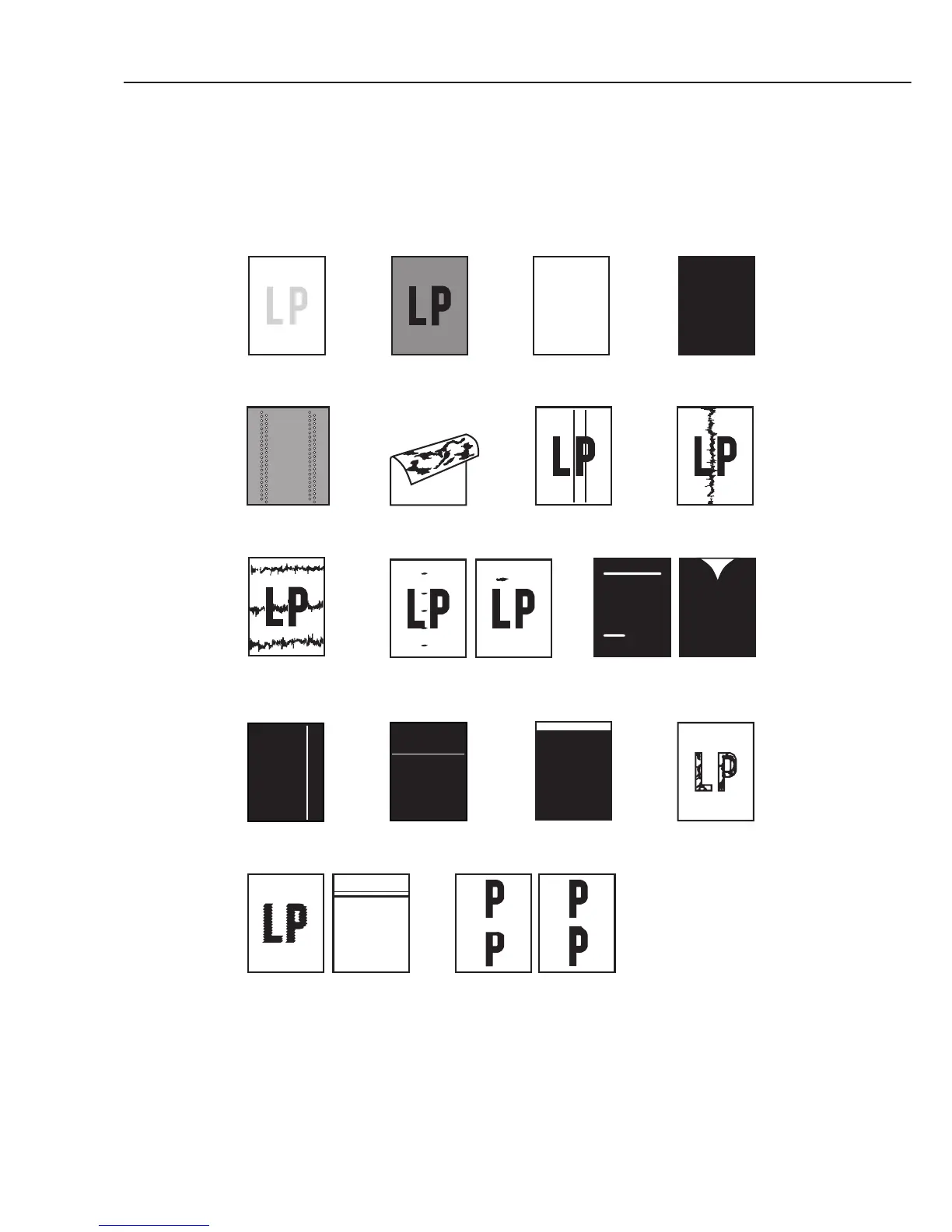
• Poor printing quality (Evaluation criteria: Check the test print image’s faults.)
Before checking for the cause of print defects, check whether the user uses Canon-
recommended paper and stores it correctly. If the problem is solved by using the
recommended paper, the customer should be advised to use the recommended paper and
store it correctly.
Figure 4-5 Faulty Print Samples
Poor fixing
Distortion
nBD failure
Irregular and
smudged black
horizontal lines
Blank spots
White vertical
lines
Irregular and smudged
black vertical lines
Dots
All blackCompletely blankDarkLight
Marks on
back of paper
Black vertical
lines
Faulty
registration
Marks
White horizontal lines
Partially compressed/stretched image



 To Next Page