PC-D320/PC-D340/FAX-L400 Chapter 1: General Description
1-19
3.2 Operation Panel
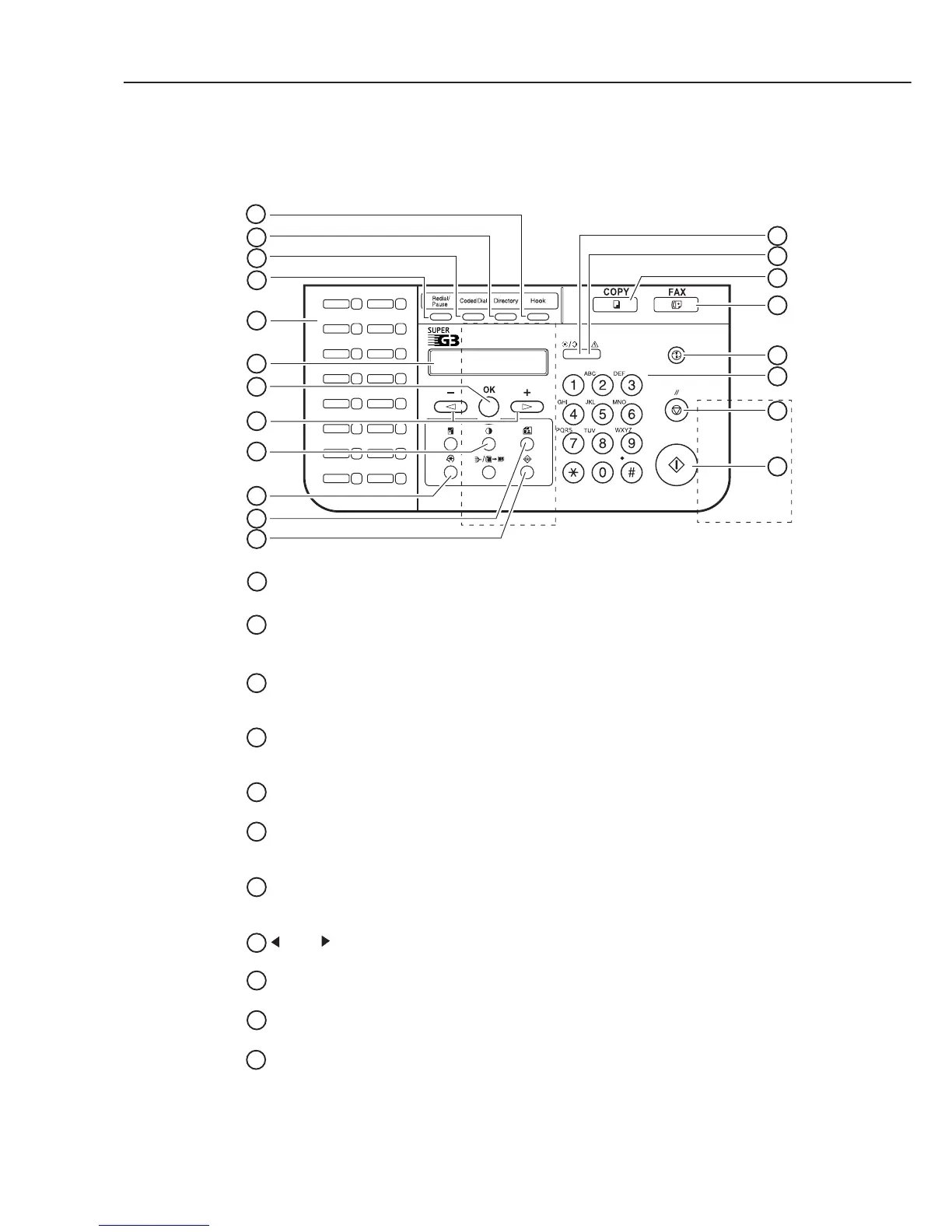
Figure 1-9 Operation Panel (1)
Hook Key
Enables you to dial, even when the handset is still on the handset cradle.
Directory Key
Enables you to search for fax/telephone numbers by the name under which they are registered for speed
dialling, and then use the number for dialling.
01
02
03
04
05
06
07
08
09
10
11
12
13
14
15
16
1
2
3
4
5
6
7
8
9
10
11
12
13
14
15
16
17
18
19
20
Coded Dial Key
Press Coded Dial, followed by a two-digit code to dial the telephone number registered for coded speed
dialling.
Redial/Pause Key
Redials the previous number dialled manually with the keys on the numeric keypad, and enters pauses between
digits or after the entire telephone number when dialling or registering facsimile numbers.
One-touch Speed Dialling Keys
Dial numbers registered under one-touch speed dialling keys.
LCD
Displays messages and prompts during operation. Also displays selections, text and numbers when specifying
settings.
OK Key
Determines the contents you set or register. Also, if the document being scanned stops in the ADF, pressing this
key makes the document come out automatically
.
(-) , (+) Keys
Scroll through the selections so you can see other settings.
Exposure Key
Adjusts the fax exposure.
Additional Functions Key
Customizes the way your machine operates.
Fax Resolution Key
Adjusts the quality of fax image.
1
2
3
4
5
6
7
8
9
10
11
FAX-L400



 To Next Page