PC-D320/PC-D340/FAX-L400 Chapter 1: General Description
1-18
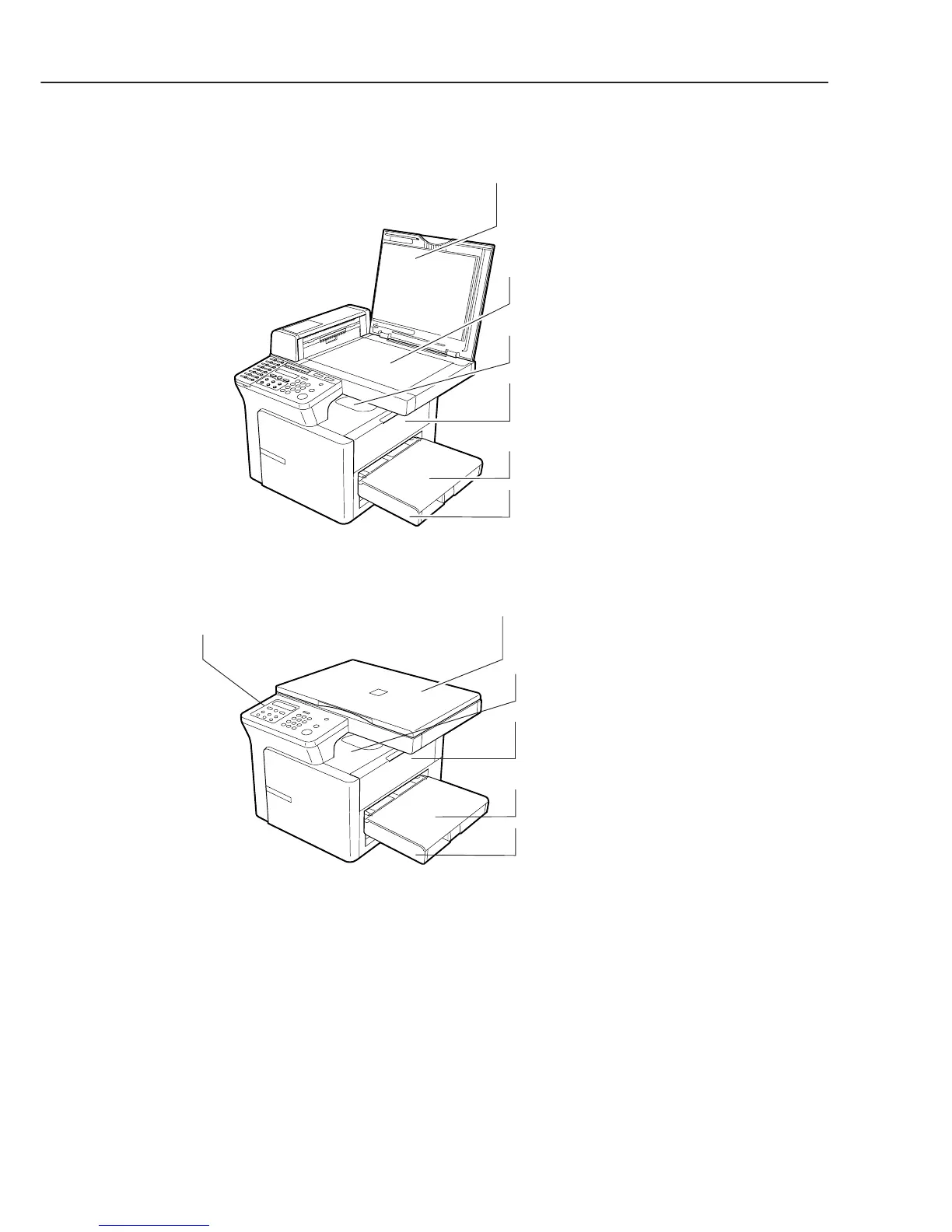
Figure 1-8 External View (3)
Right Side View
OUTPUT TRAY
Outputs printed pages.
MULTI-PURPOSE TRAY
Load paper one by one.
RIGHT COVER
Open it when you install the cartridge,
or remove jammed paper.
CASSETTE
Load paper stack.
PLATEN GLASS
Place documents for copying.
PLATEN GLASS COVER
Open it when you place documents
on the platen glass for copying.
PC-D320
PC-D340 / FAX-L400
OUTPUT TRAY
Outputs printed pages.
MULTI-PURPOSE TRAY
Load paper one by one.
RIGHT COVER
Open it when you install the cartridge
or remove jammed paper.
CASSETTE
Load paper stack.
PLATEN GLASS COVER
Open it when you place documents
on the platen glass for copying.
OPERATION PANEL
Controls the machine.



 To Next Page