PC-D320/PC-D340/FAX-L400 Chapter 1: General Description
1-24
3.3 Consumables
3.3.1 Toner Cartridge
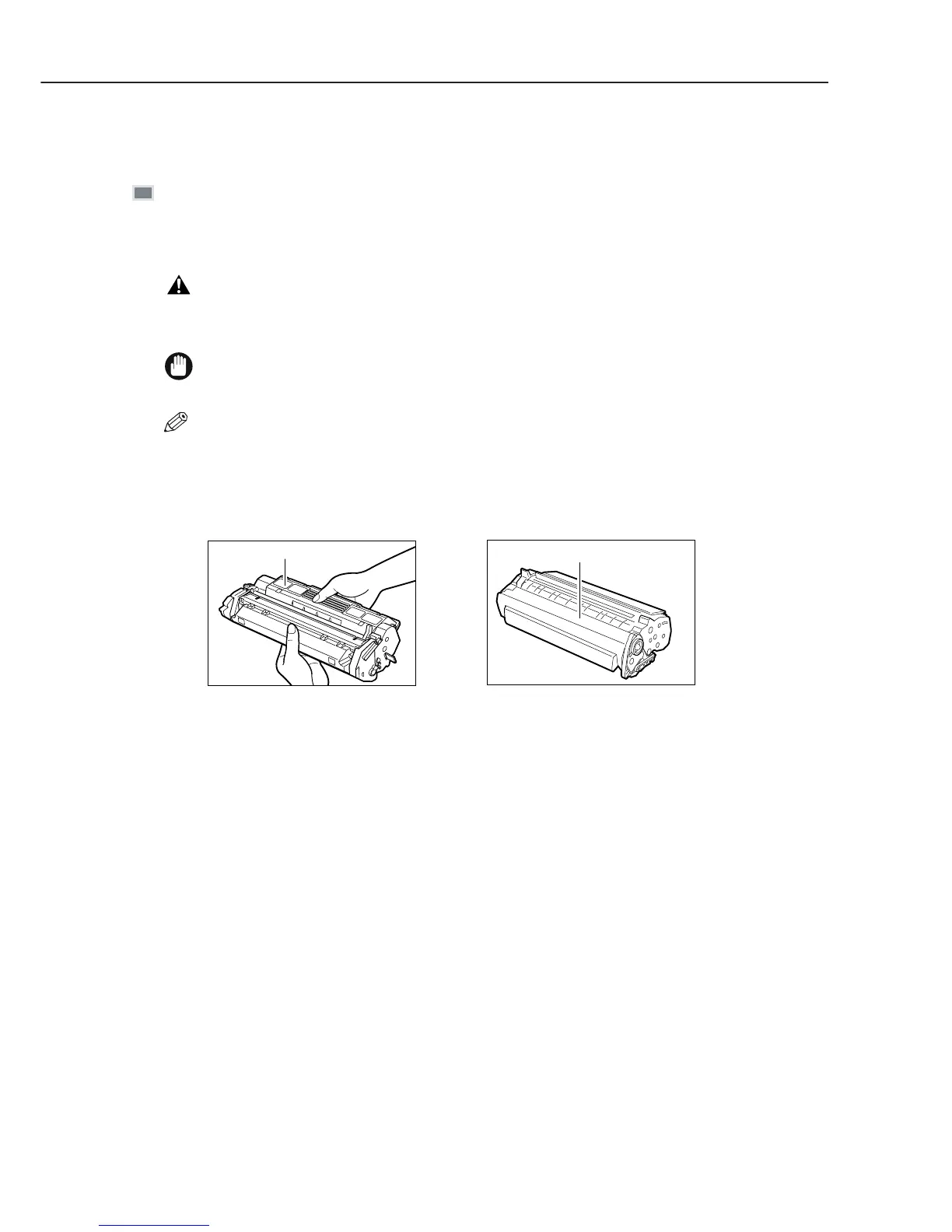
Figure 1-14 Toner Cartridge (1)
Handling and Storing the Cartridge
This section describes the precautions to ensure optimum copy quality.
Handling Precautions
Do not throw cartridge into open flames, as this may cause the toner to ignite and result in burns
or a fire.
The cartridge emits low level magnetic flux. If you use a cardiac pacemaker and feel
abnormalities, please move away from the cartridge, and consult your doctor.
Never attempt to disassemble the cartridge or open the protective shutter of the drum.
If the machine is brought from the cold outdoors into a warm room, or if the room is rapidly heated,
condensation may form inside the machine.
This can adversely effect the quality of your copy image (e.g., copies are completely black).
When the machine is exposed to such conditions, allow at least two hours for the machine to adjust to
room temperature before attempting to use it.
Always hold the cartridge as shown so that the side with the instructions are facing upward. Do not
forcefully move or push the protection shutter of the drum in any way.
NOTE
IMPORTANT
WARNING
Instructions
Drum protective shutter



 To Next Page