PC-D320/PC-D340/FAX-L400 Chapter 1: General Description
1-22
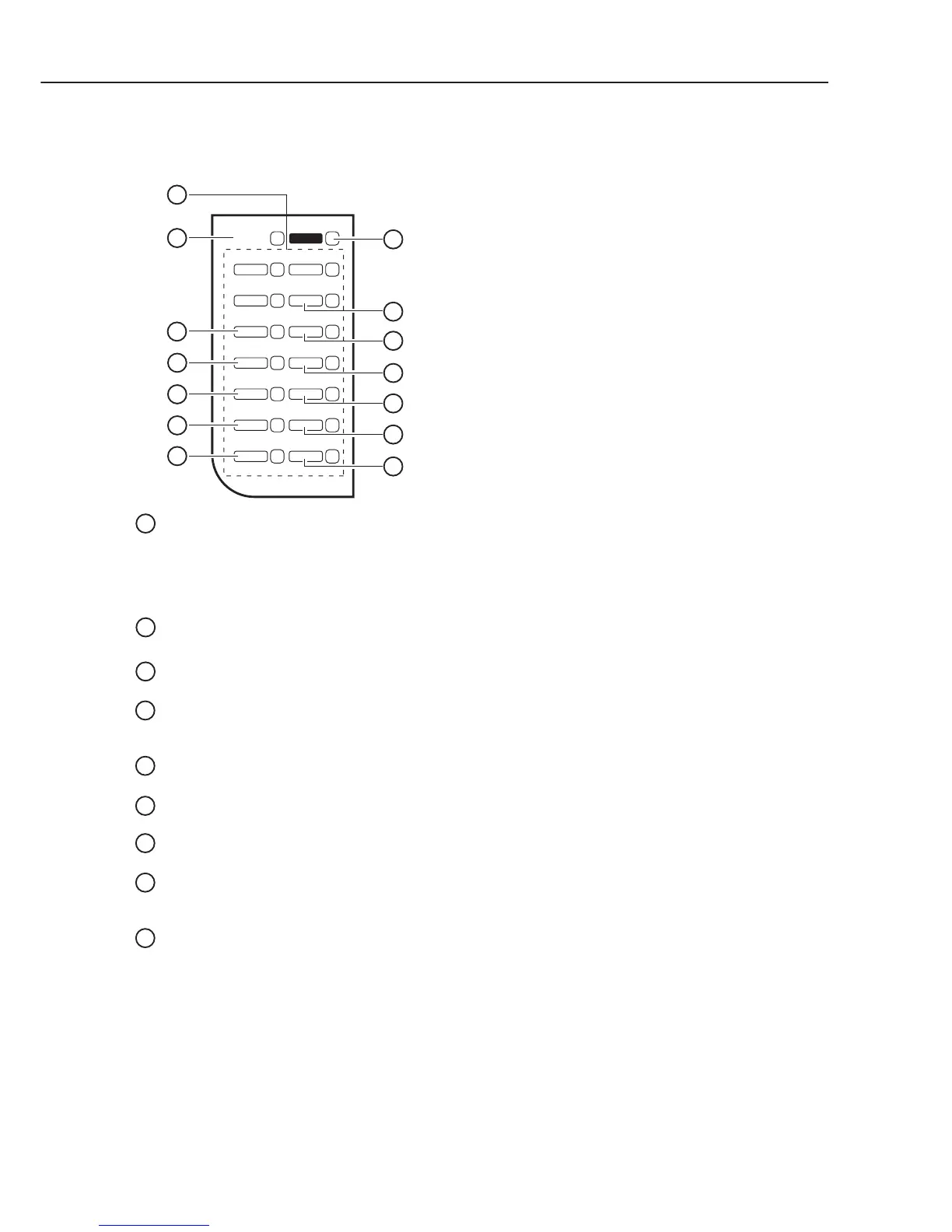
Figure 1-12 Operation Panel (4)
One-touch Panel Opened (FAX-L400)
One-touch Speed Dialling Keys
The keys marked 17 to 30 can be used to dial fax/telephone numbers pre-registered.
To dial using these keys, you need to register the number for one-touch speed dialling. When the Function key
is pressed, the following keys can be used for the fax functions. Also, if fax functions are programmed into
these keys, they can be used directly as one-touch keys without pressing the Function key to execute the fax
functions.
Receive Mode Key
Selects the receive mode.
Memory Reference Key
Confirms documents stored in the machine for memory sending or memory receiving.
Report Key
Prints a report listing fax communications, dial list, data list or document list. You can also use this key to
cancel the report job.
Delayed Transmission Key
Specifies the fax sending time for the delayed sending function.
Book Sending Key
This key can be used to send documents from the platen glass.
Polling
Press to set a document for advanced communications, such as polling sending and receiving.
Function Key
After pressing this key, you can use the keys marked Memory Reference, Report, Delayed Transmission, Book
Sending, Polling, R, D.T., Tone/+, Space, Delete and Clear for the fax functions.
R Key
Press to dial an outside telephone number, or an extension number, when the fax is connected
through a switchboard (PBX).
17 24
18 25
19 26
20 27
21 28
22 29
23 30
1
2
3
4
5
6
7
14
8
9
10
11
12
13
Receive
Mode
Function
Memory
Reference
Delayed
Transmission
D.T.
Tone/+
Space
DeleteBook Sending
Polling Clear
Report
R
1
2
3
4
5
6
7
8
9



 To Next Page