PC-D320/PC-D340/FAX-L400 Chapter 4: Maintenance and Service
4-4
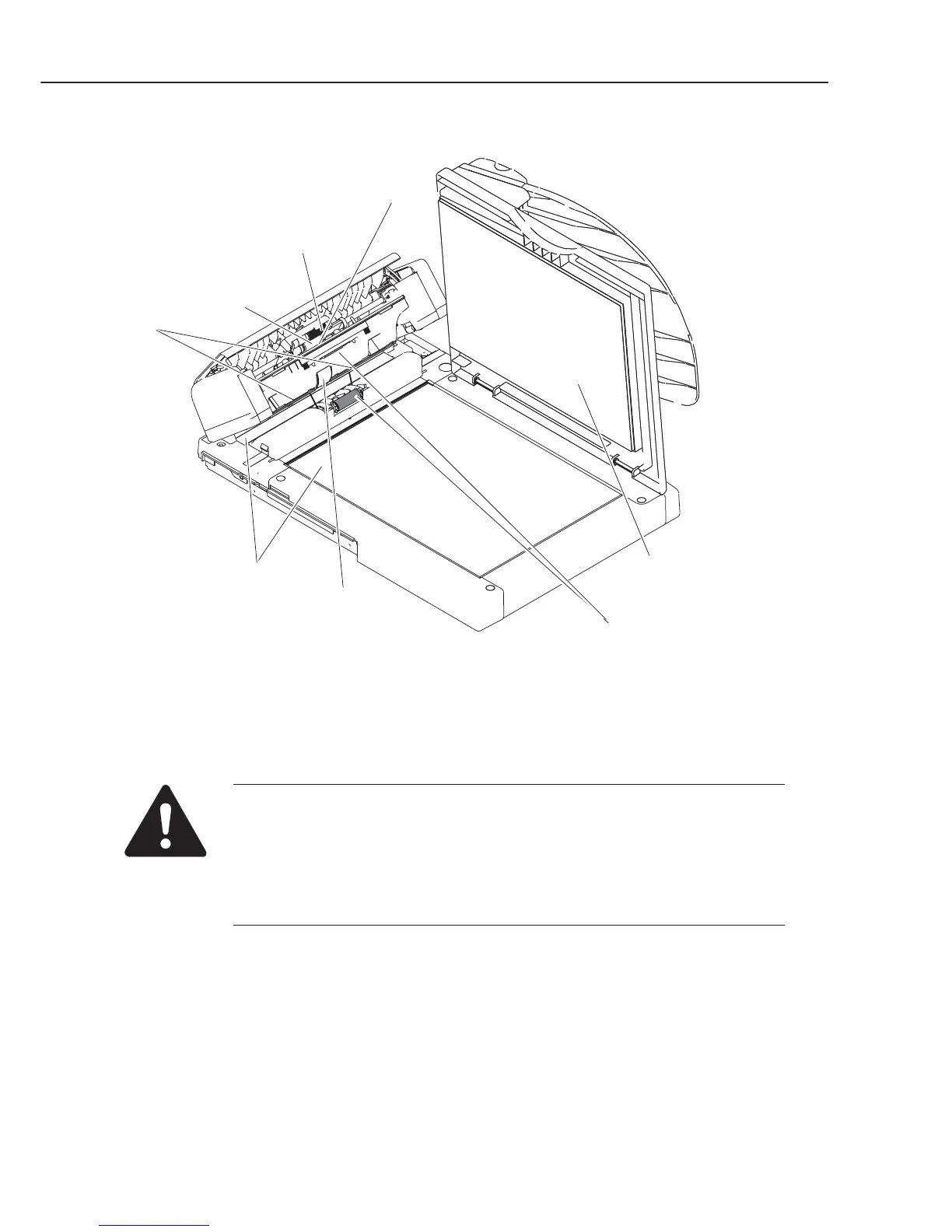
Figure 4-1 Cleaning Location 1
Do not use tissue. Otherwise, paper dust may stick to the parts or a static
charge may be generated.
Precautions when using Isopropyl alcohol (IPA)
When cleaning with IPA, take care to prevent the IPA from splashing high-
temperature parts. If IPA splashes high-temperature parts, leave for at least
three minutes to allow the IPA to evaporate.
Platen glass
White sheet
Document
separation roller
Document
pick-up roller
Document
separation guide
Document
eject roller
Document
feed roller
Platen glass cover



 To Next Page