Canon PC880/860 Operator’s Manual ENGLISH
12
Parts and Their Functions
Main Unit
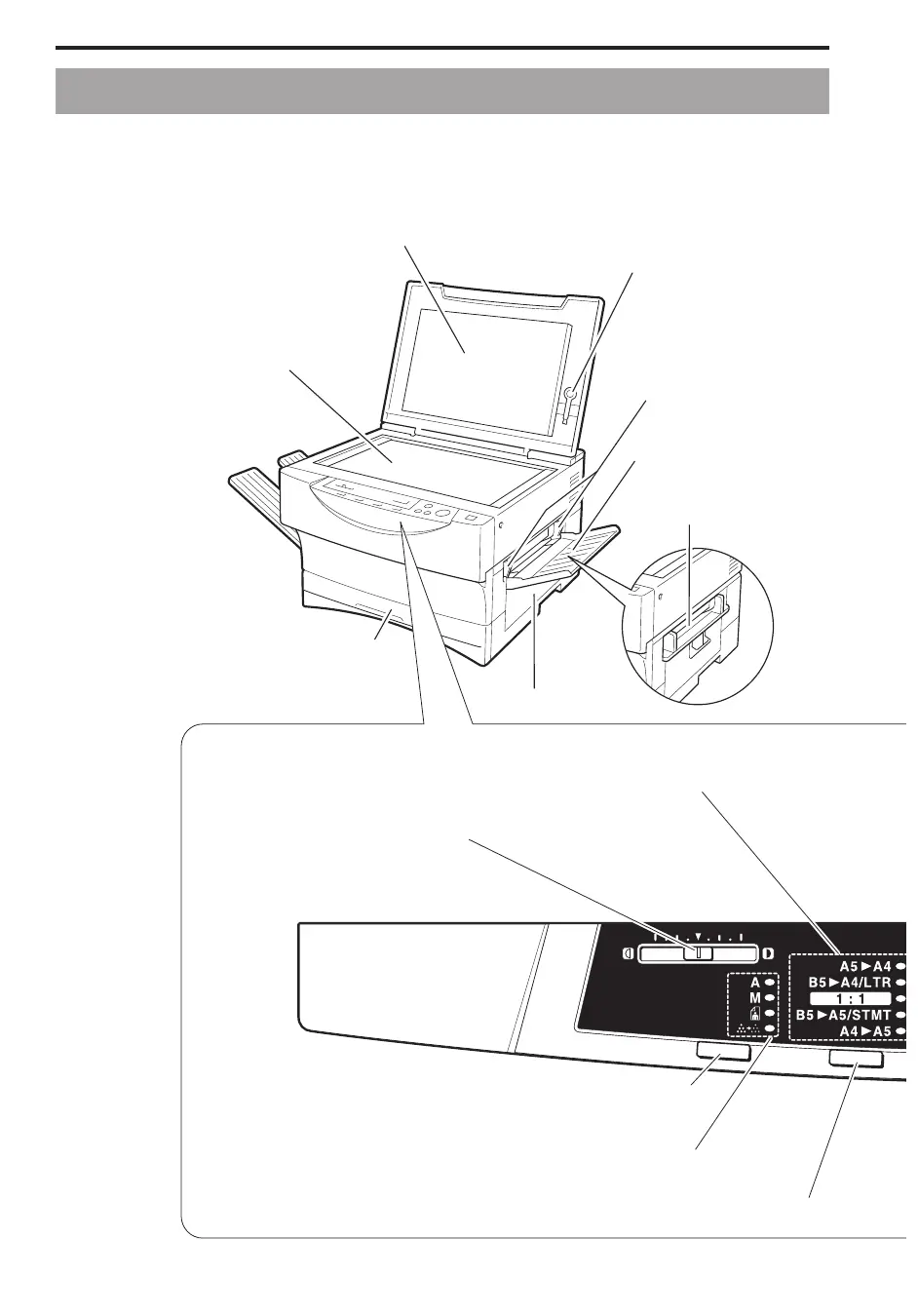
Platen glass cover
Platen glass
Front loading cassette*
* By using the optional universal cassette
(250 sheets), in addition to A4 size copies, A5 size
copies can also be made.
Static charge eliminator
cleaning brush
Slide guides
Multi-stack bypass (PC880)
Single-sheet bypass
(PC860)
Right cover
Control Panel
Preset Copy Ratio display
Lights to indicate the selected preset copy ratio.
Exposure Adjustment lever
Slide to manually adjust the copy exposure.
Move the lever to the right to make copies
darker and to the left to make them lighter.
(See p. 33)
Exposure Mode Select key
Press to select Exposure Mode (Automatic Exposure Control, Manual Exposure
Control, Photo Mode, Toner Saver Mode).
Exposure Mode indicator
Lights to indicate the selected preset Exposure Mode.
Preset Copy Ratio key
Press to reduce or enlarge using a preset copy ratio, or to return the copier to direct (100%) copying.
(See p. 35.)



 To Next Page