Canon PC880/860 Operator’s Manual ENGLISH
47
TROUBLESHOOTING
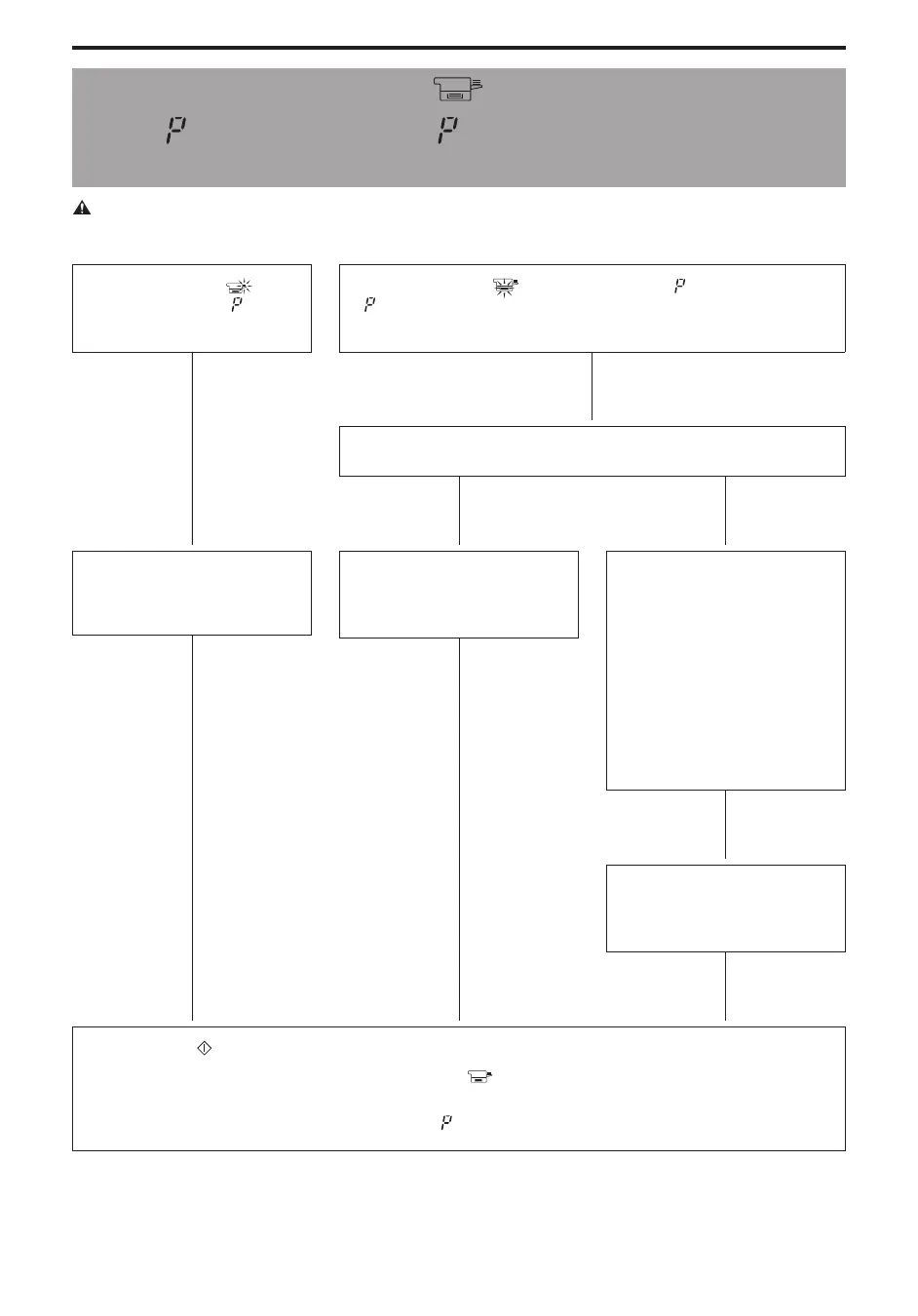
If the Paper Supply ( ) Indicator Flashes
and
Lights
(PC880)
/ If Lights
(PC860)
(Load Paper/Check the Cassette)
CAUTION:
I When loading copy paper, take care not to cut your hands on the edge of the copy paper.
If the Paper Supply ( )
indicator flashes and
lights
(PC880)
If the Paper Supply (
) indicator flashes and lights (PC880)
If
lights (PC860)
N
N
Is there paper in the cassette?
NO
N
YES
N
N
Load copy paper into the multi-
stack bypass.
(See p. 25.)
N
Load copy paper.
Place copy paper in the
cassette. (See p. 20.)
Re-insert the copy paper.
Pull out the cassette and make
sure that the copy paper is
loaded properly. (See p. 20.)
I Are the paper guides aligned
correctly for the size of the
loaded paper?
I Is the paper stack loaded
beneath the cassette’s claws
(length guide, width guides)?
I Is paper loaded neatly in the
cassette?
N
Check to make certain that the
cassette is inserted into the
copier as far as it will go.
N
Press the Start ( ) key.
If after completing the previously described checks, the
indicator does not go out, contact your Service
representative. (PC880)
If after completing the previously described checks,
lights, contact your Service representative. (PC860)



 To Next Page