Canon PC880/860 Operator’s Manual ENGLISH
13
INTRODUCTION
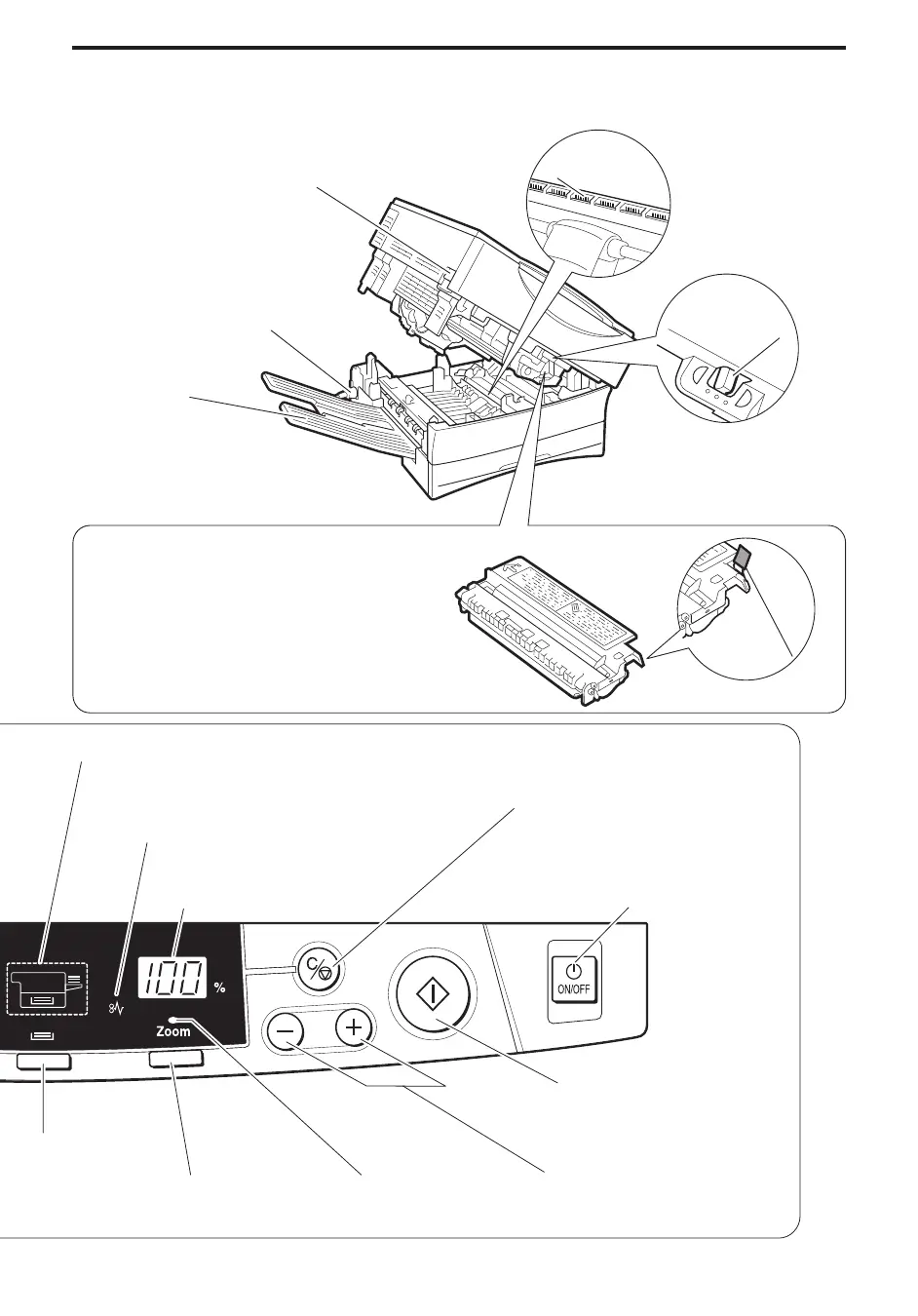
Main Unit
Main unit lever
Lift to open the main unit for clearing a
paper jam or replacing the cartridge.
(See pp. 44, 49.)
Power cord connector
Copy tray
Static charge
eliminator
Exposure
recalibration
switch
Use when copies are too
dark or too light (See
p. 53.)
Cartridge
It is recommended that the Canon E16/E30
Cartridge be used with this copier.*
* A Starter Cartridge yielding approximately
2,000 copies is included with the copier for your
convenience.
Sealing tape grip
Paper Supply indicator (PC880)
Lights to indicate the selected paper supply, the cassette or the multi-stack bypass. If there is no paper loaded,
it will flash.
Paper Jam indicator
Flashes when there is a paper jam.
(See p. 48.)
Copy quantity/Copy ratio
display
Clear/Stop key
Press to return the copy quantity to one,
return to direct (100%) copying, or stop the
copier before copying is completed.
(See p. 32.)
Power switch
Paper Select key
(PC880)
Press to select the
cassette or the
multistack bypass.
(See p. 29.)
Zoom key
Press to select the
Zoom mode.
(See p. 36.)
Zoom indicator
Lights to indicate that
the Zoom mode is
selected.
Copy Quantity/Zoom Input keys
Press to set the desired copy quantity
and copy ratio. (See pp. 32, 36.)
Start key
Press to start copying.
(See p. 28.)



 To Next Page