Canon PC880/860 Operator’s Manual ENGLISH
52
Copy Image Problems
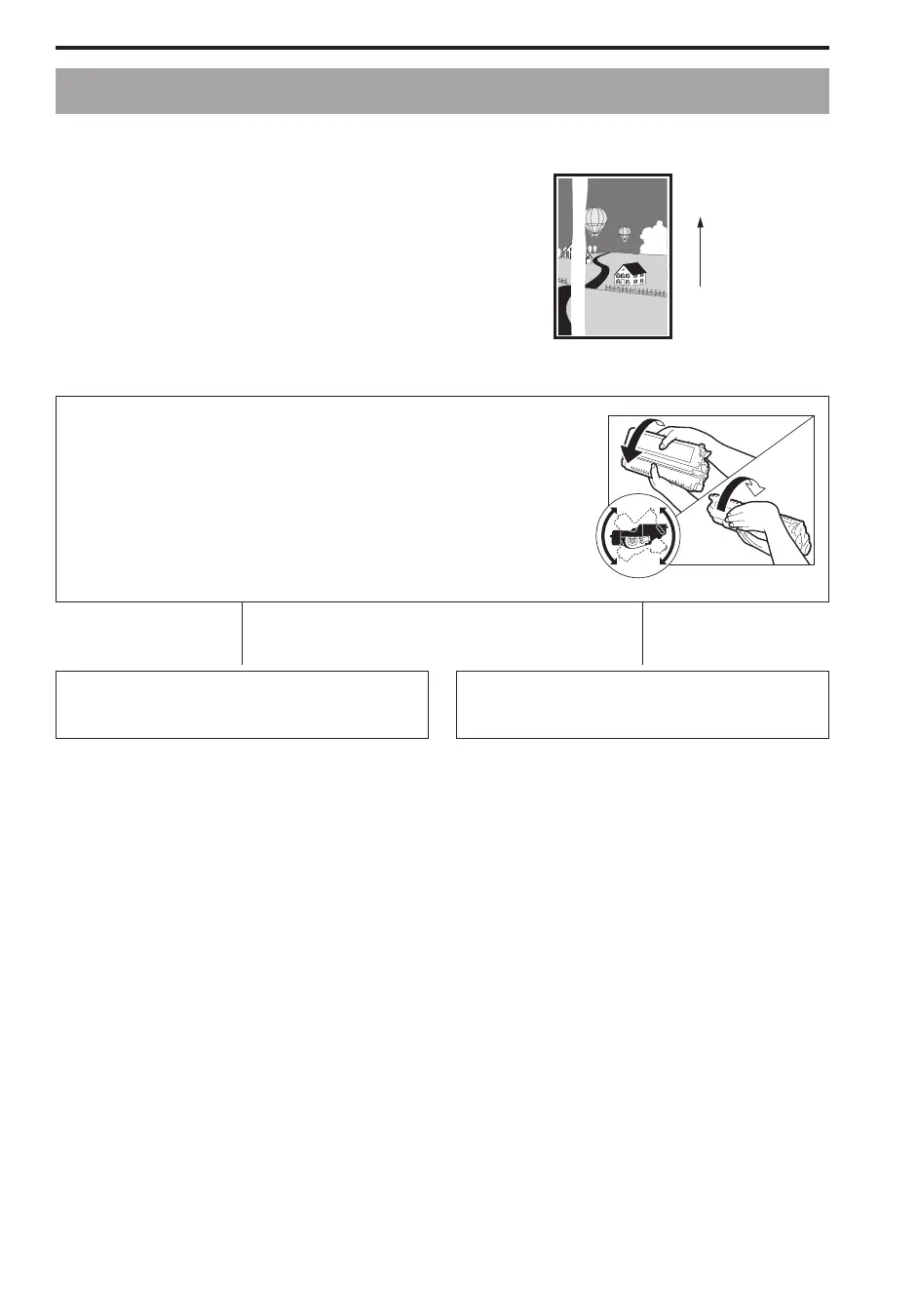
If White Streaks Appear on Copies.....
The toner in the cartridge has run low.
Please prepare a new cartridge. (See “Replacing and Storing the
Cartridge,” on p. 41.)
Paper feeding
direction
Remove the cartridge from the copier. Hold the cartridge level and
rock it several times at a 90! angle.
Re-install the cartridge in the copier. (See p. 44.) Then, make a
few test copies.
If the copies appear
normal
N
If white streaks or light
bands are still present
N
You can use the cartridge, however, a new one
will be needed soon.
Replace the cartridge with a new one.
(See p. 44.)
If Copies Are Completely Black.....
Some possible causes and remedies:
I The platen glass cover or the platen glass is dirty and needs cleaning.
For details about how to clean your copier, see “Routine Cleaning” on p. 55.
I Condensation has built up inside the copier.
Under such conditions, allow at least two hours for the copier to adjust to room temperature before
attempting to use it. (See “Handling Precautions,” on p. 10.)
I The copier is installed in a location where the floor or foundation is unstable.
(See “Installation Precautions,” on p. 11.)
If, despite your efforts to correct these problems the copy image remains black, consult your Service
representative.



 To Next Page