Canon PC880/860 Operator’s Manual ENGLISH
34
Photo Mode
(Use to Copy Photos)
This mode enables you to reproduce photos or other types of originals with halftones to achieve better copy
quality.
1
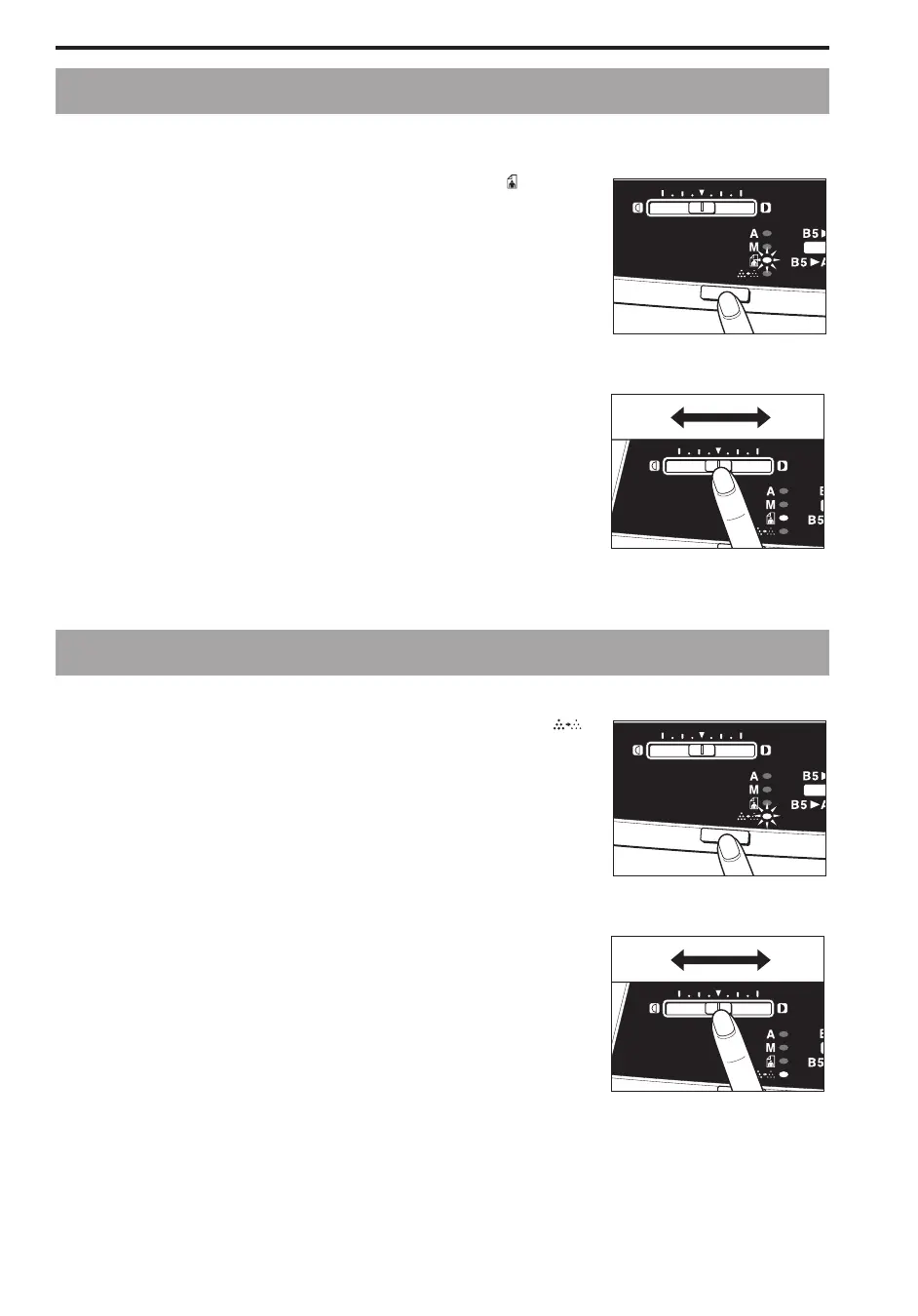
Press the Exposure Mode Select key until the Photo ( ) lights.
...............................
2
Adjust the copy exposure level by sliding the Exposure
Adjustment lever.
To make darker copies, move the lever to the right.
To make lighter copies, move the lever to the left.
...............................
Toner Saver Mode
(Copying to Reduce Toner Consumption)
This mode allows you to make copies at a lower than normal exposure to save toner.
1
Press the Exposure Mode Select key until the Toner Saver ( )
lights.
...............................
2
Adjust the copy exposure level by sliding the Exposure
Adjustment lever.
To make darker copies, move the lever to the right.
To make lighter copies, move the lever to the left.
...............................



 To Next Page