Canon PC880/860 Operator’s Manual ENGLISH
20
Loading Paper
How to Load Copy Paper in the Cassette
The paper cassette can hold A4-size copy paper. When the optional cassette is attached, A4 and A5-size copy
paper can be loaded. If you want to make copies with any other size paper, use the multi-stack bypass (PC880)
or single-sheet bypass (PC860). (See “How to Load Copy Paper in the Multi-stack Bypass” on p. 25.)
If you want to copy a different paper size using the optional universal cassette (250 sheets), see “Adjusting a
Cassette to Hold Different Paper Size” on p. 22.
CAUTION:
I When loading copy paper, take care not to cut your hands on the edges of the copy paper.
1
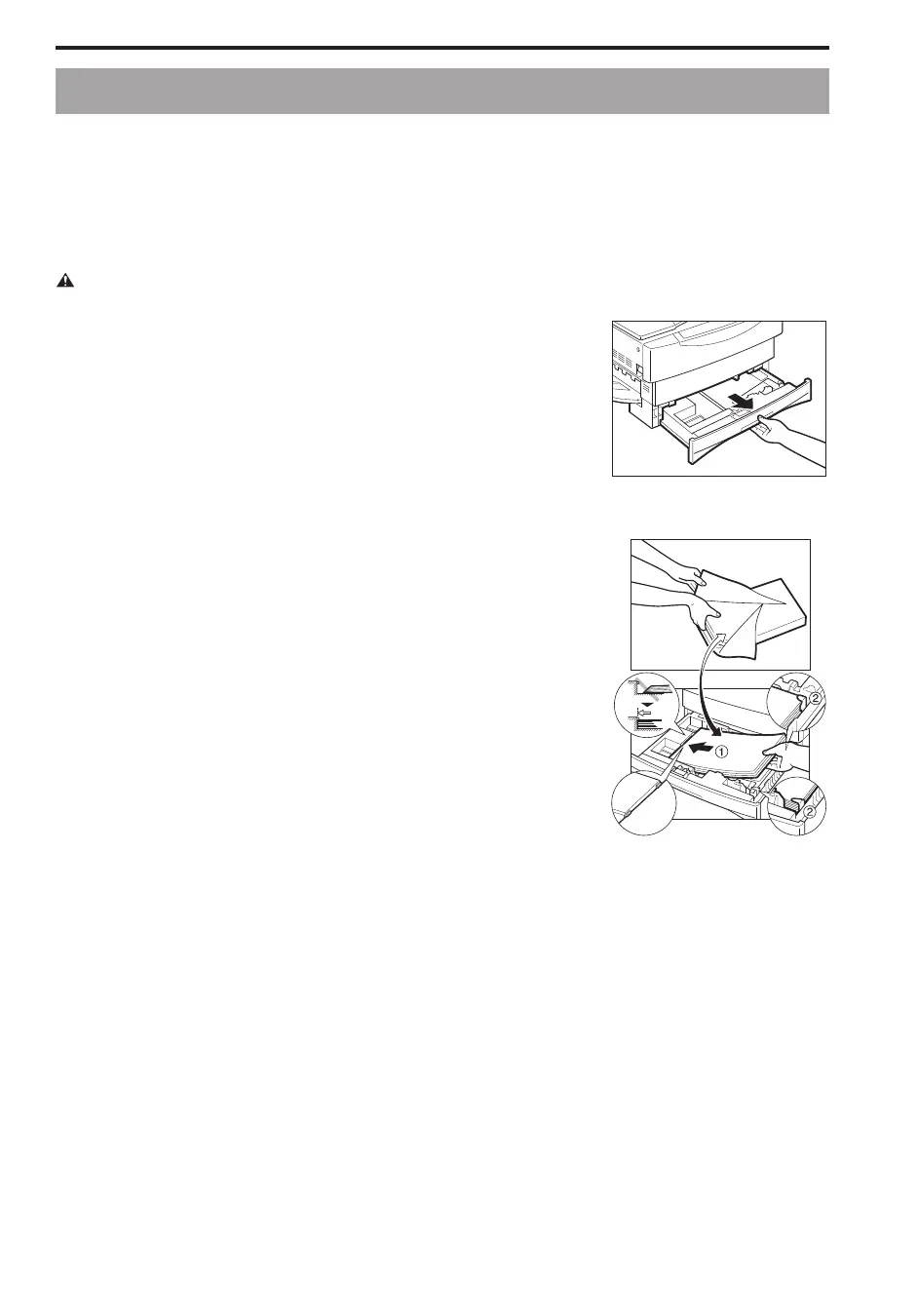
Grip the cassette handle, and draw out towards you until the
cassette comes to a stop.
...............................
2
Open a package of copy paper, and remove the paper stack.
NOTICE:
I If the copy paper is curled, uncurl it before placing it in the cassette.
Failure to do so will cause paper creases and a paper jam.
MEMO:
I 64 to 80 g/m
2
copy paper is acceptable.
I The cassette holds up to approximately 250 sheets of 80 g/m
2
copy
paper.
...............................
3
Load the paper stack beneath the cassette’s length guide (
a
)
and width guides (
b
).
NOTICE:
I Make sure that the height of the paper stack does not exceed the
height of the length guide’s claw in the cassette. Failure to do so will
cause a paper jam.
I Avoid adding a stack of paper when there is still paper left in the
cassette.
I Do not load extra copy paper when there is still paper left in the
cassette.
I Only load one size of copy paper into the cassette. Do not load
different sizes of paper into the cassette at the same time.
I Do not load postcards or transparencies into the cassette.
...............................



 To Next Page