Canon PC880/860 Operator’s Manual ENGLISH
25
INSTALLING THE COPIER
How to Load Copy Paper in the Multi-stack Bypass (PC880)
Use the multi-stack bypass when you want to copy on special copy stock, such as transparencies, labels or
heavy paper. You can place up to 50 sheets of 80 g/m
2
copy stock (a stack approximately 5 mm high) in the
multi-stack bypass to be automatically fed into the copier.
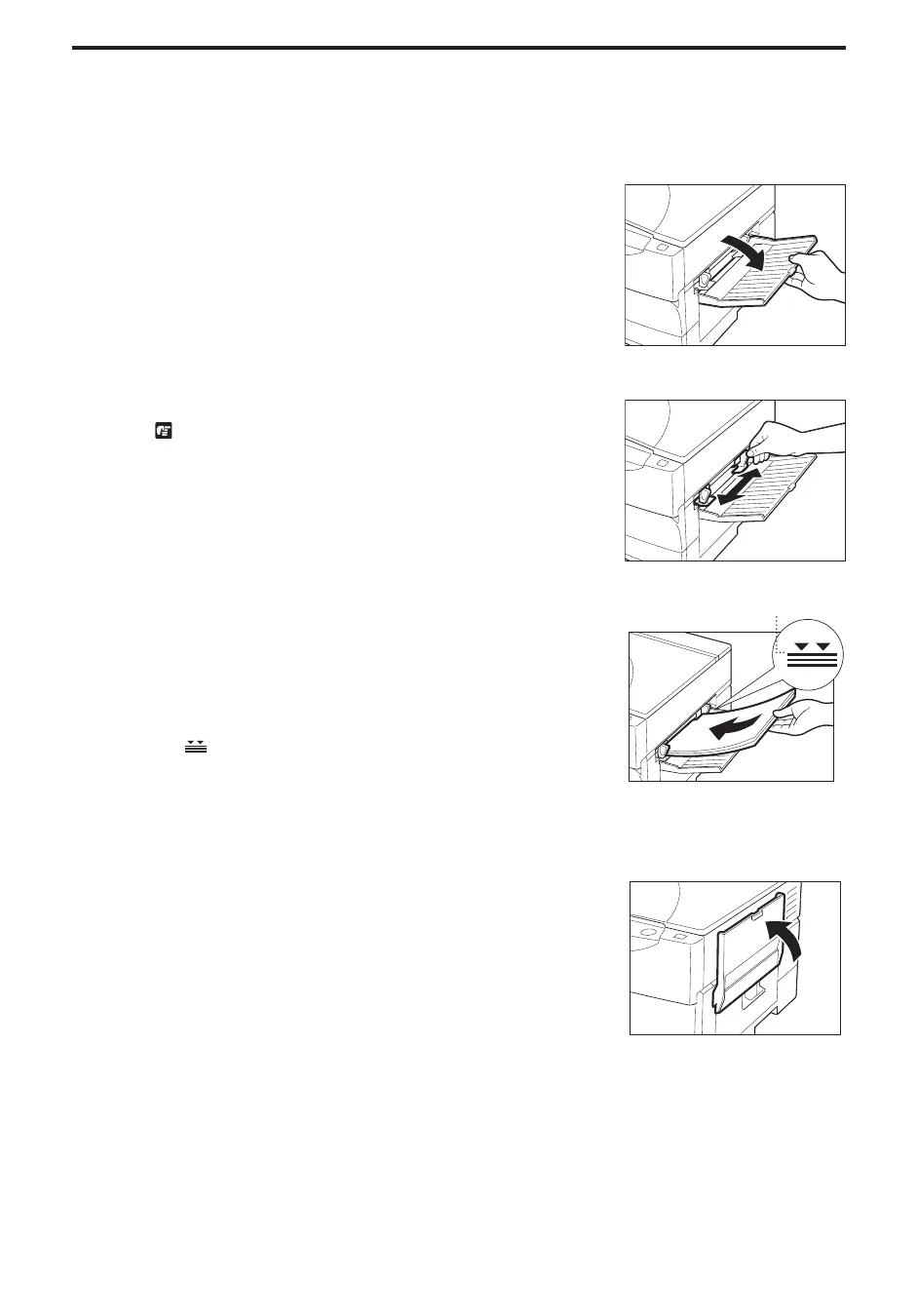
1
Open the multi-stack bypass.
...............................
2
Adjust the slide guides to fit the size of the copy stock.
REQUEST:
I If the slide guides are not adjusted correctly for the paper size, the
quality of your copy images may be adversely affected.
...............................
3
Load the copy stock face up into the multi-stack bypass.
NOTICE:
I Insert the copy stock into the copier as far as it will go.
I If the copy paper is curled, uncurl it before placing it in the cassette.
Failure to do so will cause paper creases and a paper jam.
I 52 to 128 g/m
2
copy paper is acceptable.
I Make sure that the height of the paper is not greater than the limit mark
(
) on the inside of the slide guides.
MEMO:
I Some types of copy stock may not feed properly into the multi-stack
bypass. For high-quality copies, we recommended using paper and
transparencies recommended by Canon. (See p. 19.)
Load paper up to here
...............................
4
Fold up the multi-stack bypass as shown in the illustration.
...............................



 To Next Page