Canon PC880/860 Operator’s Manual ENGLISH
30
4
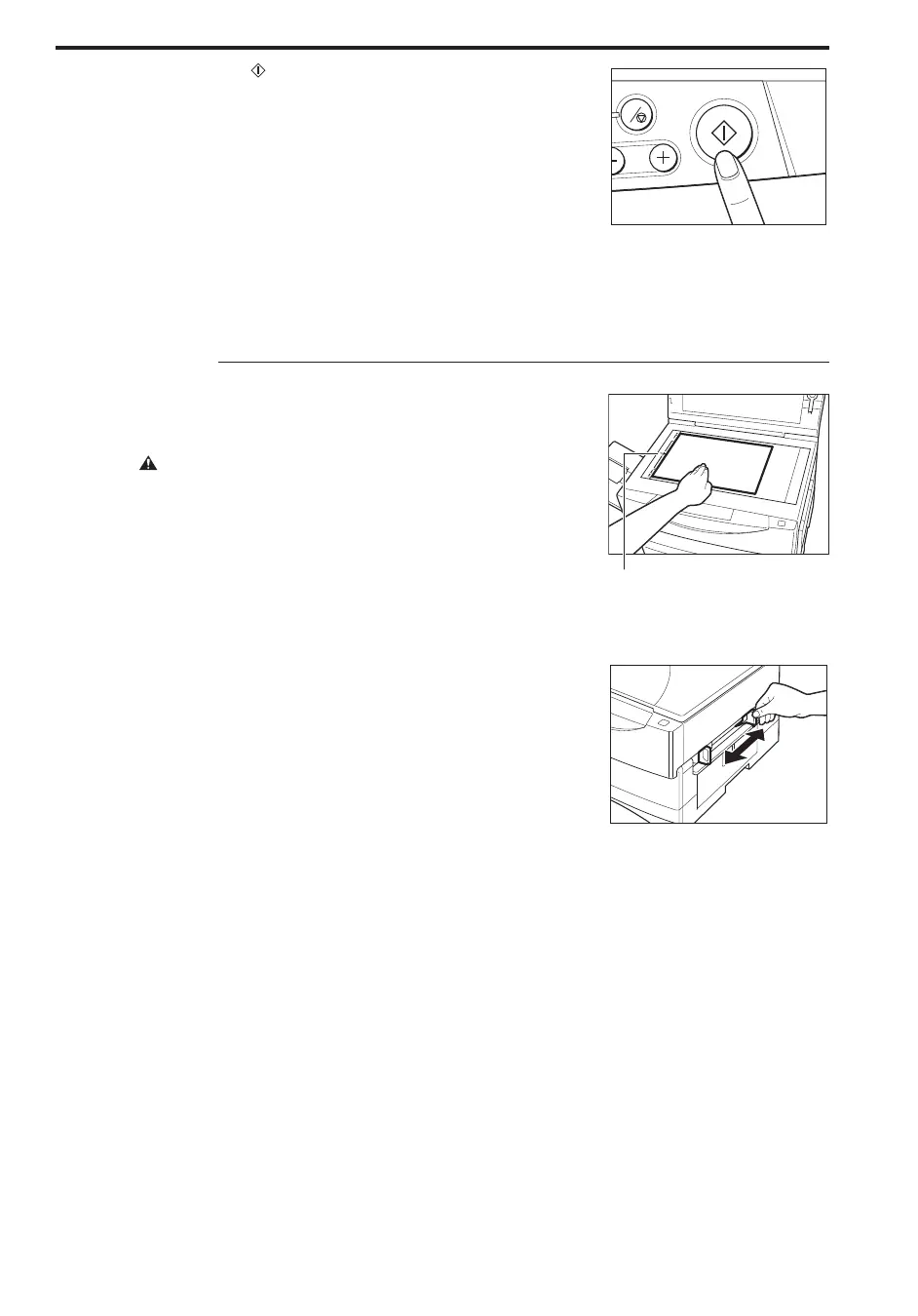
Press the Start ( ) key.
NOTICE:
I When copying onto transparencies, remove each transparency from
the copy tray as it is output.
I Do not make copies with paper which has already been printed on
using a thermal transfer printer. Copying with it may adversely affect
the quality of your copy images or cause a paper jam. If you want to
copy onto it, first, make a copy of it. Then, print onto that copy.
MEMO:
I When making continuous copies and using the multi-stack bypass, the
copy speed may be slightly slower than usual.
C
...............................
For the PC860
1
Place your original on the platen glass. The side that you want to
copy must face downward. Align the original between the
appropriate paper size marks.
CAUTION:
I Close the platen glass cover gently to avoid catching your hand, as this
may result in personal injury.
I Do not press down hard on the platen glass cover when using the
platen glass to copy thick books. This may damage the platen glass
and/or result in personal injury.
MEMO:
I After placing the original, lower the platen glass cover. Do not copy
with the platen glass cover left open; doing so will result in excessive
toner consumption.
Paper size marks
...............................
2
Adjust the slide guides to fit the size of the copy stock.
NOTICE:
I If the slide guides are not adjusted correctly for the paper size, the
inside of the copier may get dirty and the quality of your copy images
may be adversely affected.
...............................



 To Next Page