Canon PC880/860 Operator’s Manual ENGLISH
49
TROUBLESHOOTING
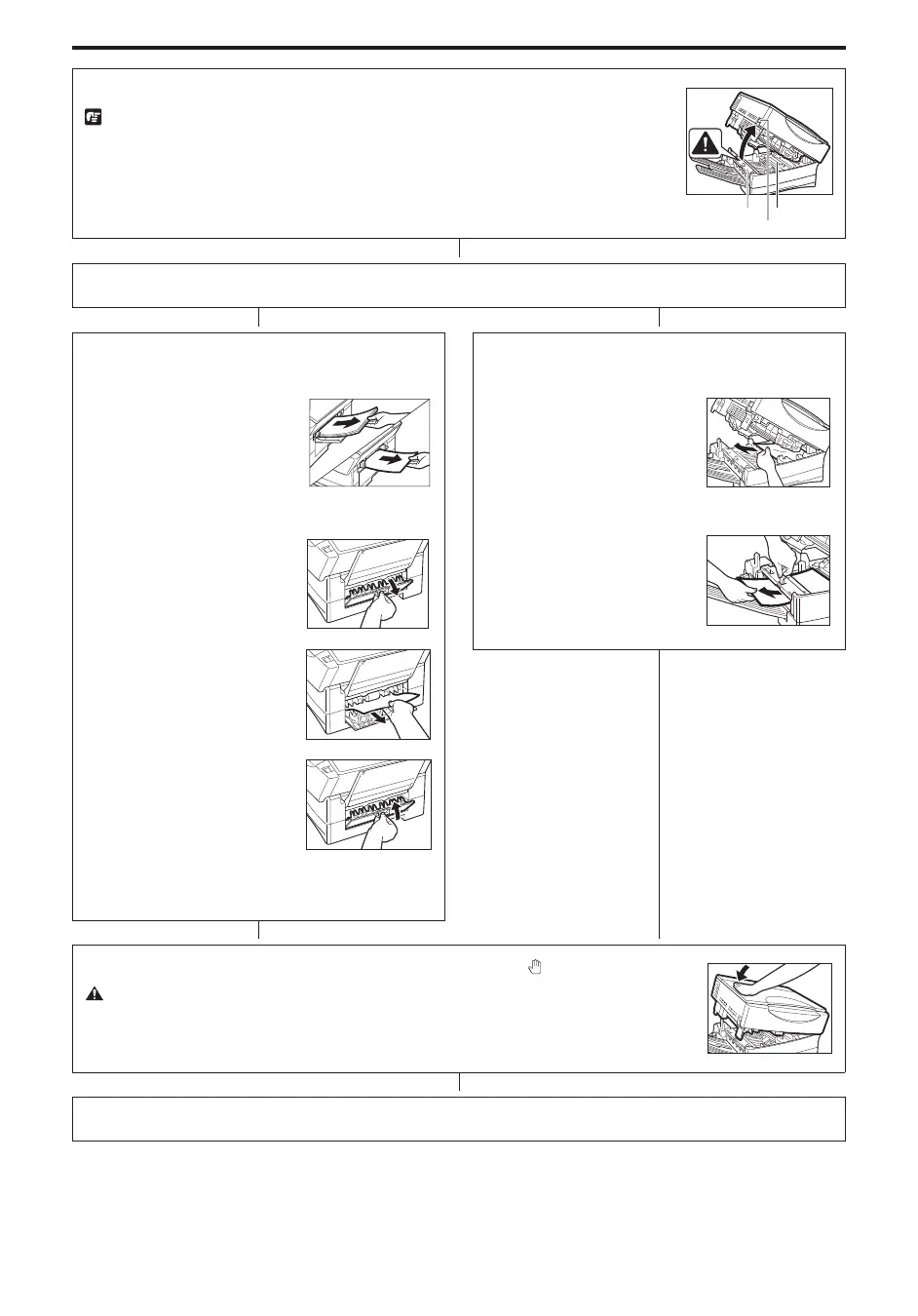
Lift the main unit lever on the left side to open the main unit.
REQUEST:
I Do not touch the roller, because doing so may adversely affect the quality of your
copy images.
NOTICE:
I Make sure that the height of the paper stack does not exceed the height of the length
guide’s claw in the cassette. Failure to do so will cause a paper jam.
Fixing
assembly
Lever
Roller
N
Can you see paper inside the copier?
NO
N
YES
N
<Multi-stack Bypass (PC880) or Single-sheet
Bypass (PC860)>
Slowly remove any
jammed copy paper from
the copier.
<Cassette>
1. Open the right cover.
2. Slowly remove any
jammed paper behind the
right cover.
3. Close the right cover.
NOTICE:
I When you close the right cover, make sure it is
closed completely.
N
Slowly remove any jammed copy paper from the
copier.
<If you cannot remove the jammed paper>
Grip and pull up the fixing
assembly knob as shown
in the illustration, and
remove the jammed
paper.
N
Close the main unit by pressing down firmly on the part marked “
”.
CAUTION:
I When you close the main unit, be careful not to get your hand in the way.
N
To make copies as usual, turn the power switch ON and programme the copy settings again.



 To Next Page