Canon PC880/860 Operator’s Manual ENGLISH
55
Routine Cleaning
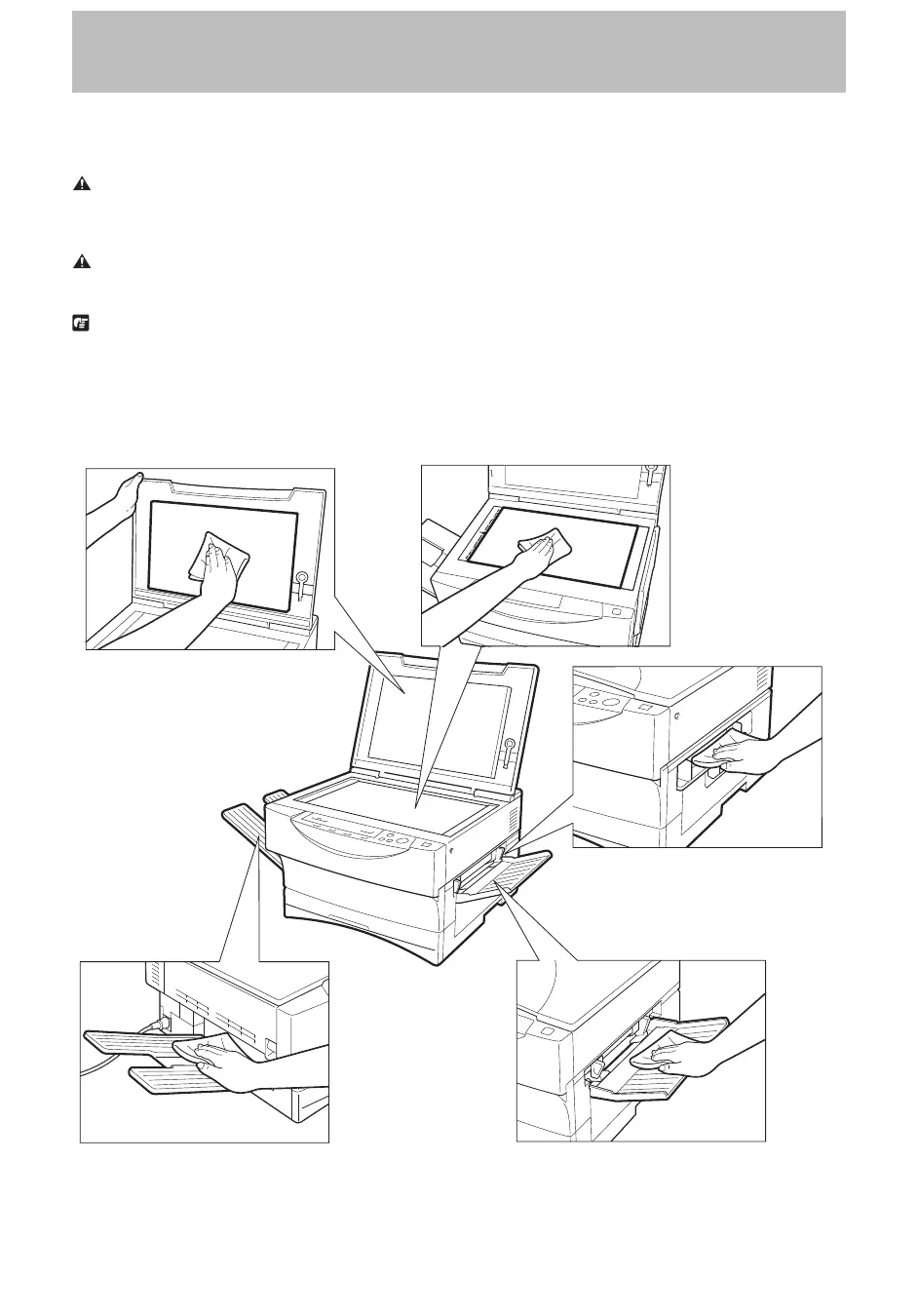
To ensure optimum copy quality, the platen glass, platen glass cover, copy tray, and multi-stack bypass (PC880)/
single-sheet bypass (PC860) must be kept clean at all times.
Wipe each of these parts with a cloth dampened with water or a mild cleaning agent. Then, wipe with a dry cloth.
WARNING:
I Before cleaning, be sure to turn the power OFF and unplug the copier.
I Do not clean or wipe the copier with any flammable substances, such as rubbing alcohol, benzene or paint thinner. Doing so
may cause damage to the copier, a fire or an electric shock.
CAUTION:
I Unplug the power plug from the outlet at least once a year, and clean the area around the base of the plug’s metal pins to
ensure all dust is removed. If dust accumulates in this area, it may result in a fire.
REQUEST:
I Avoid lubricating the copier parts as there are lubricating oils that are unsuitable for use in this machine. Using an unsuitable
oil may result in malfunction or damage to the copier.
I Only water or a mild cleaning agent should be used for cleaning.
Clean the external housing of the copier in the same way.
Platen glass cover Platen glass
Single-sheet bypass
(PC860)
Copy tray Multi-stack bypass (PC880)



 To Next Page